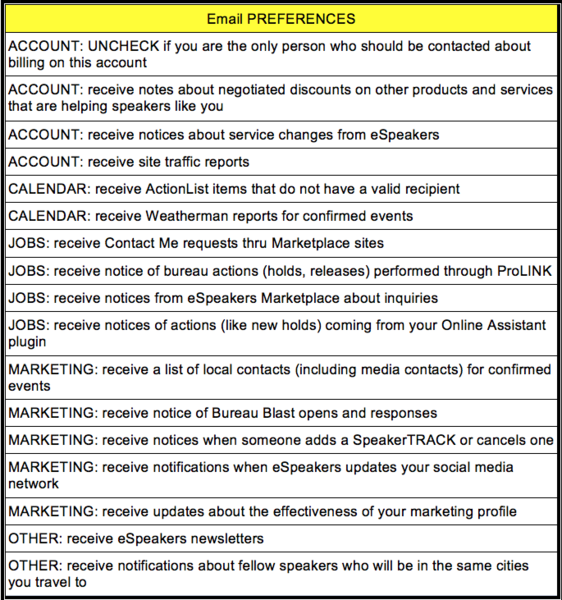
Your user ID on the speaker account has several email preference choices for the various automated notices eSpeakers sends. This article will explain those choices and how to make changes.
- Log in to web espeakers.com/login
- Choose MANAGE ACCOUNT USERS from the menu.
- In the USER LOGINS section, click on the user you want to access. Select EDIT from the drop-down list.
- MAIL PREFERENCES display on the right side. Scroll through the list to make your selections.
- Preferences explained: