Many of the basic settings for your Marketplace speaker directory can be updated with the Manage screen, including:
- directory name
- link to your home page, and contact page
- commission percentage
- logo
- layout style
Where can I manage my settings? #
- Sign in to your directory as an administrative user.
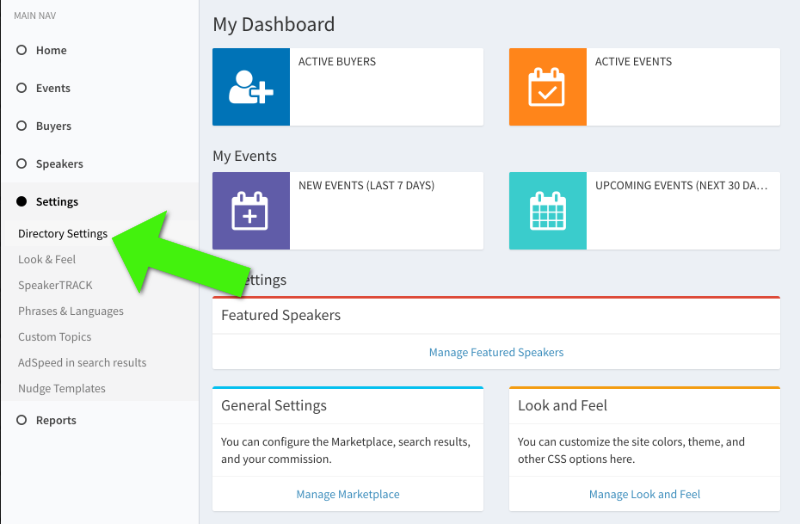
- From the left-side menu, choose SETTINGS, then DIRECTORY SETTINGS.
How can change basic settings on my directory? #
To update basic settings, like directory name, links back to your main website, etc:
- Sign in to your directory as an administrative user.
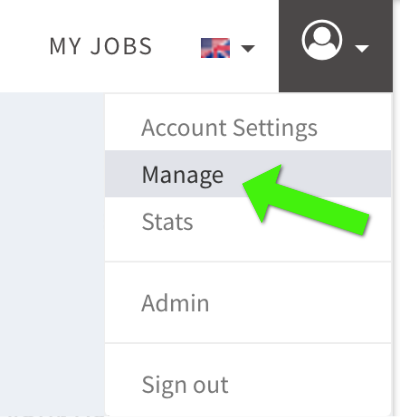
- Choose MANAGE from the ACCOUNT menu in the top-right.
- From the left-side menu, choose SETTINGS, then DIRECTORY SETTINGS.
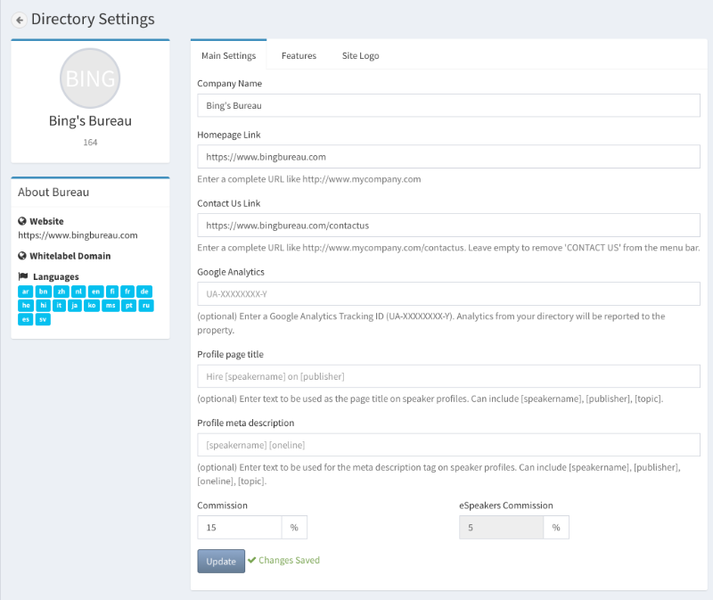
- On the MAIN SETTINGS tab you can change:
- COMPANY NAME
- HOMEPAGE LINK
- CONTACT US LINK
- COMMISSION
- …other, more technical, settings like the Google Analytics property, code, are described in the webmaster area .
- Make changes and click UPDATE near the bottom
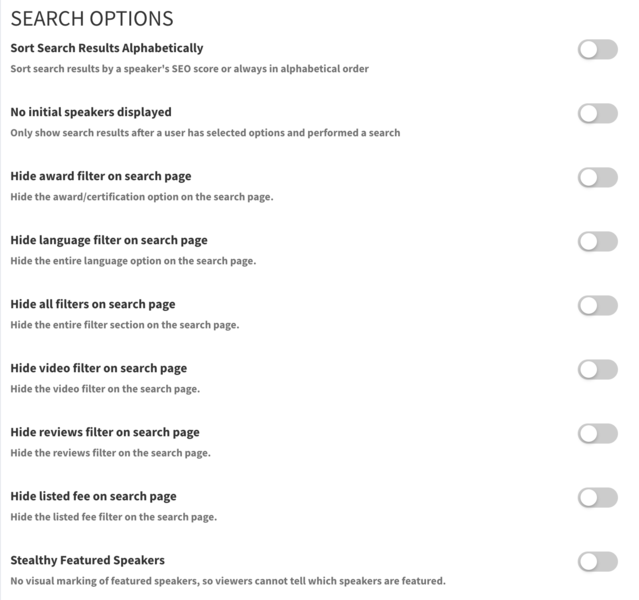
How can I change how the search page looks on my directory? #
You can customize the search page on your directory:
- Sign in to your directory as an administrative user.
- Choose MANAGE from the ACCOUNT menu in the top-right.
- From the left-side menu, choose SETTINGS, then DIRECTORY SETTINGS.
- On the FEATURES tab you can change how the search page looks and functions:
How can the colors on my directory? #
You can customize various colors on your directory to make it match your brand:
- Choose MANAGE from the ACCOUNT menu in the top-right.
- From the left-side menu, choose SETTINGS, then LOOK & FEEL.
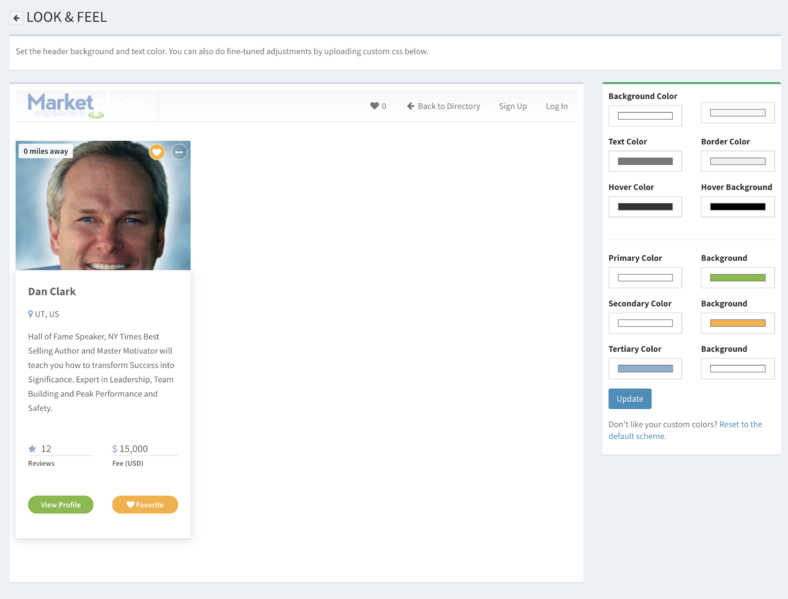
- On this page, you are given a preview of the navbar and a search result tile. You can customize the colors on the right.
- If you mess up, simply click the link at the bottom of the colors to reset them to the original Marketplace colors.