
If your directory only shows speakers who qualify in some way (certain income, having a video, a certain award, etc.) there is an easy way to add and remove speakers who fit that qualification.

Setting up the qualification you want to use for speakers requires eSpeakers developers; it’s not something you can do self-serve.
To add qualified speakers to your directory #
- Sign in to eSpeakers
- Choose MANAGE MY DIRECTORY
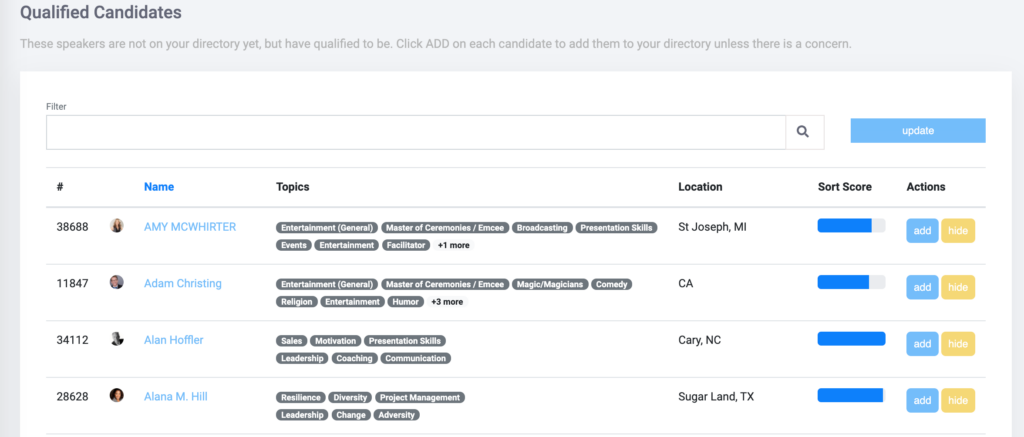
- From the menu along the left, expand SPEAKERS and choose QUALIFIED CANDIDATES
- You’ll be shown a list of speakers who meet your qualifications and are not currently listed on your directory.
- To add a speaker to your directory, click the ADD button next to their name.
- If you don’t ever want to add a certain speaker, and would like them to stop appearing in this list, click the HIDE button next to their name.
To remove speakers who no longer qualify #
- Sign in to eSpeakers
- Choose MANAGE MY DIRECTORY
- From the menu along the left, expand SPEAKERS and choose UNQUALIFIED CANDIDATES
- You’ll be shown a list of speakers who are currently listed on your directory but no longer meet your qualifications.
- To remove a speaker from your directory, click the REMOVE button next to their name.


