
PRESENTER eSpeakers and SpeakerFlow CRM (built on Zoho CRM) offer a seamless cross-platform experience that enables the two systems to work closely together so that your contacts (Zoho) and your engagements (EventCX) connect and flow naturally. Together, the two technologies provide an integrated suite of tools that will help speakers book more engagements and manage their events more efficiently. When these two platforms are combined, eSpeakers EventCX users reap the benefits of an easy-to-use relationship management platform, such as email automation, business card capture, and CRM sales tools. SpeakerFlow customers will enjoy the added functionality of eSpeakers’ customized calendar tool, real-time availability tracker and Book Me Now website plugin, and other advanced event management tools. To get started, you need an eSpeakers PRO level account and a SpeakerFlow CRM account.
Connect Your SpeakerFlow CRM Account to Your eSpeakers Account #
Connecting your eSpeakers and SpeakerFlow CRM (Zoho CRM) accounts together takes about 60 seconds following the steps below:
- Log in to
EventCX
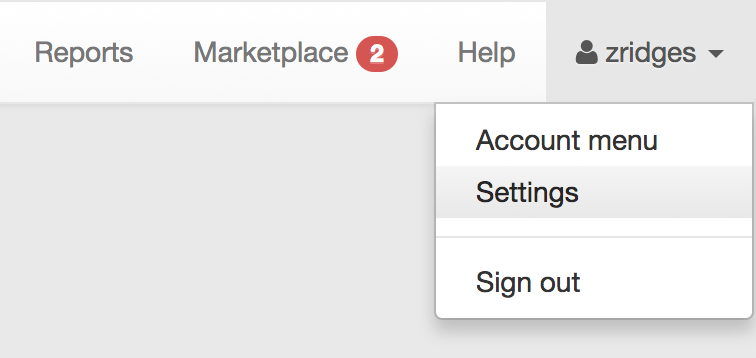
. - From the account menu (your USERNAME upper right) choose SETTINGS.
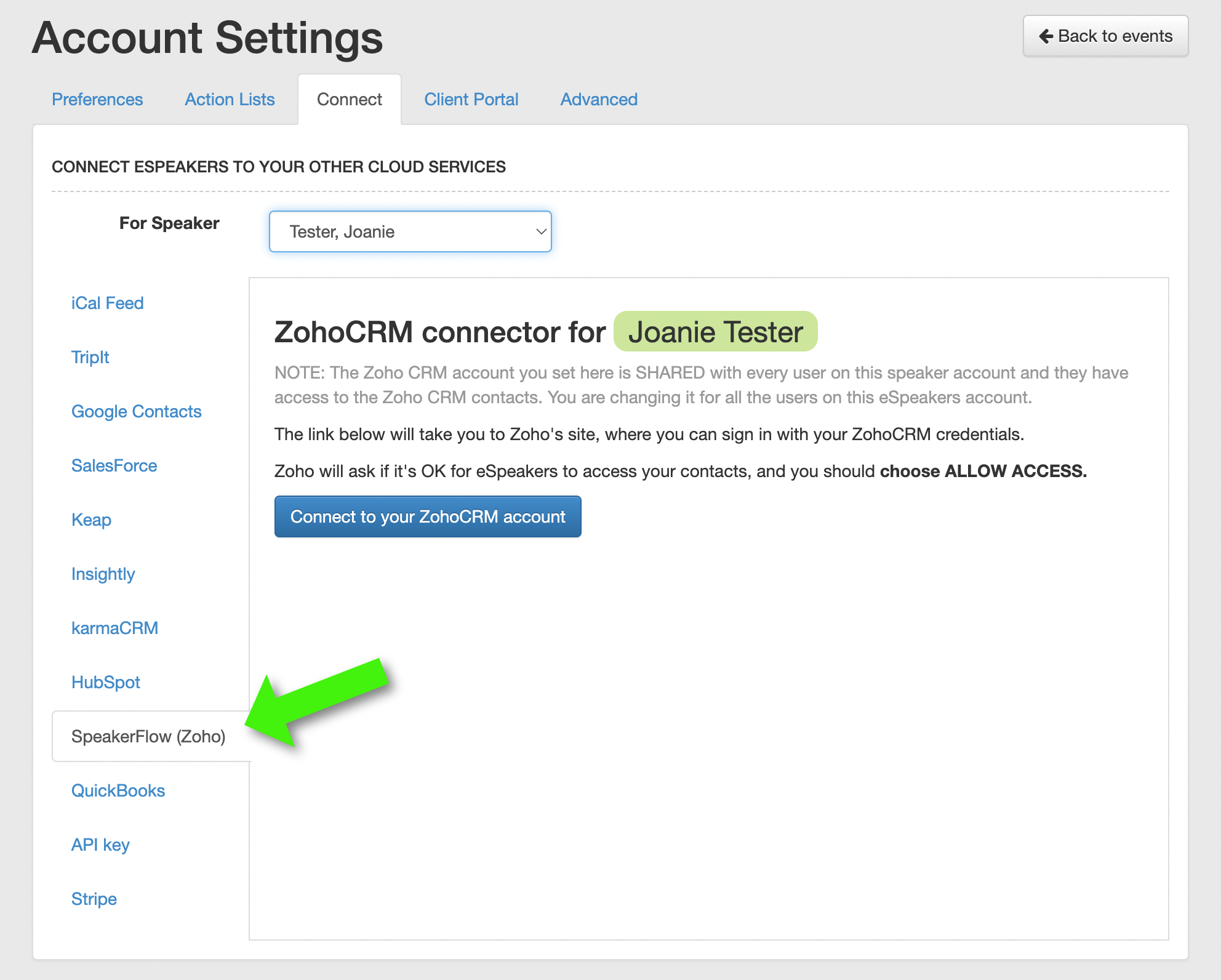
- In ACCOUNT SETTINGS, choose the CONNECT tab across the top, then the SpeakerFlow (Zoho) tab along the left.
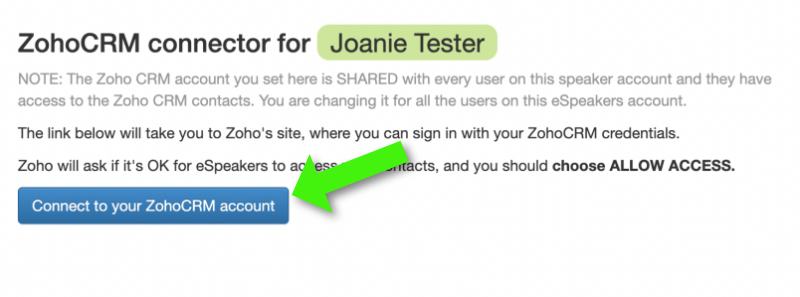
- On the Zoho CRM connector screen, click the button labeled CONNECT TO YOUR ZOHO CRM ACCOUNT.
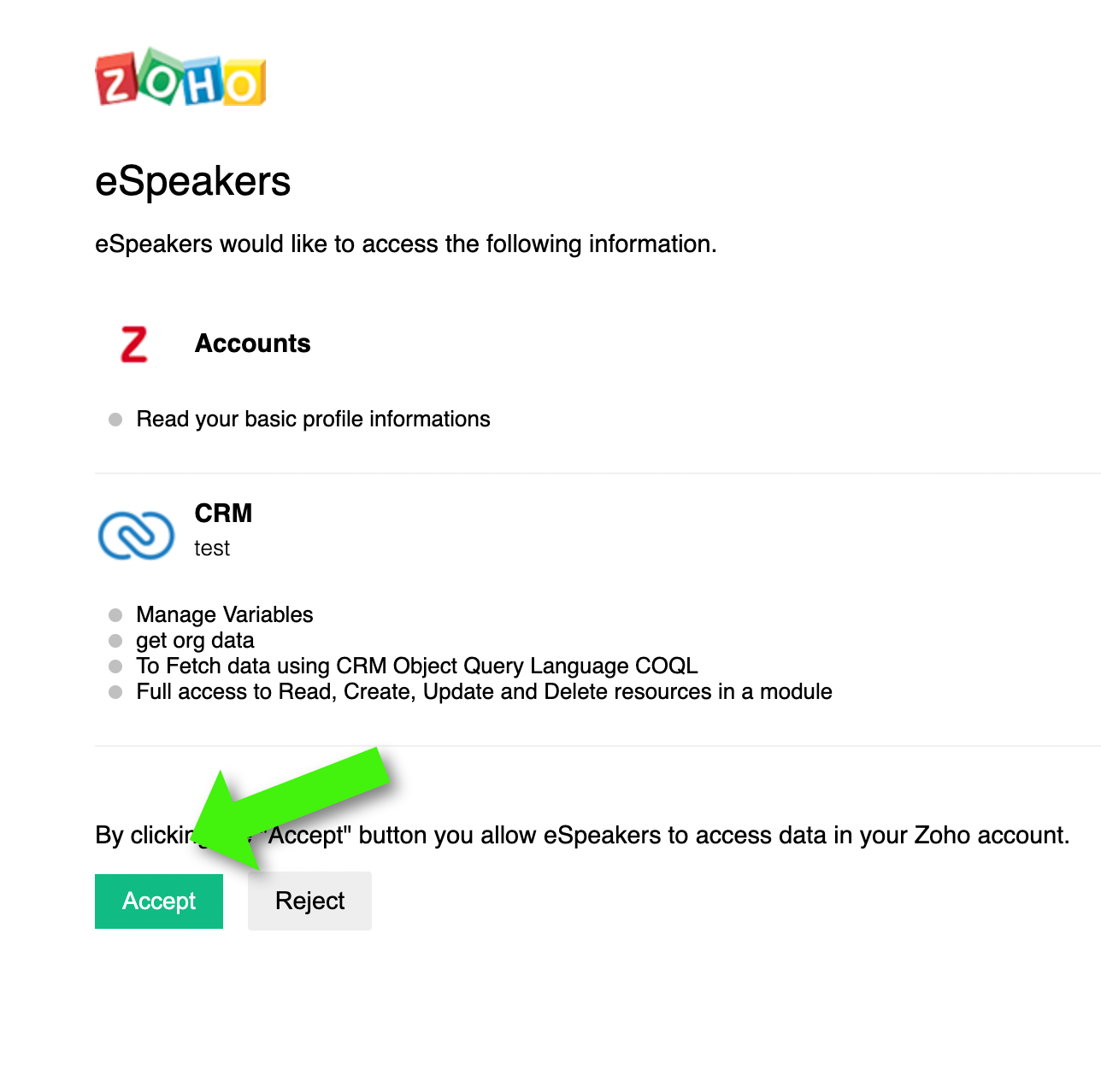
You’ll be taken to the Zoho CRM web site, and asked to sign into Zoho if your browser isn’t already logged in.
HubSpot will ask if it’s OK for eSpeakers to access your ZohoCRM data. Click ACCESS.
- You’ll be taken about to EventCX, and the screen shows you’re connected.
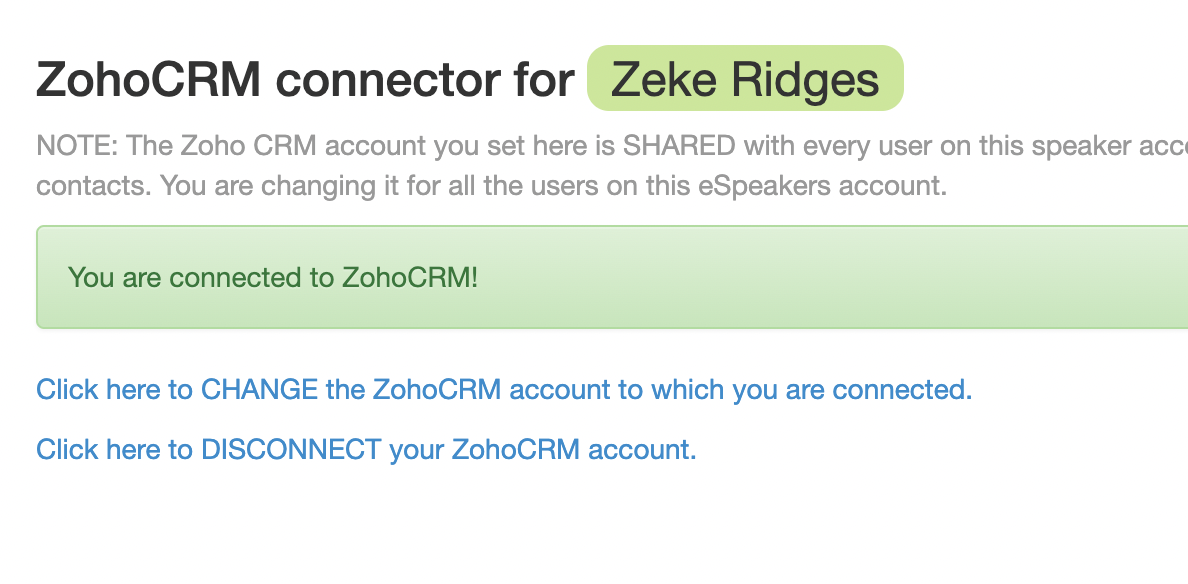
You’re done! EventCX and Zoho CRM are connected.


