
DIRECTORY PUBLISHER The Featured Speakers setting puts you in control of who is at the top of the search results in your directory:
- Feature a speaker who is hot and in high demand
- A speaker has a new book being released and you want to feature them
- You’re having a conference and want to make the presenters stand out on your directory
- Feature a speaker who has been in the news, or won an award
What Happens When I Feature a Speaker?
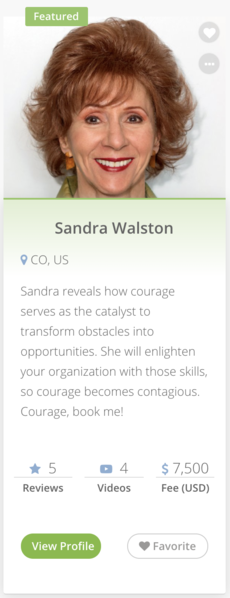 When you add a speaker to the list of those featured, that speaker begins to appear at the top of search results that include them.
- A featured speaker does not appear in search results in which they wouldn’t normally be included. For instance, if “Dan” isn’t listed in the “Motivational” topic, then he won’t appear in a search for “Motivational” even though he is featured.
- If more than one featured speaker is included in search results, they all show up as the top results. If more than two speakers are included, only two featured speakers are shown at one time; and the speakers are shown randomly.
Featured speakers are shown in the Featured Speaker Plugin that you can embed on pages throughout your website. When displayed in search results, featured speakers have a “featured” tag displayed next to their name. How Do I Feature a Speaker On My Directory? To make a speaker who is already listed on your directory featured:
Sign in to eSpeakers
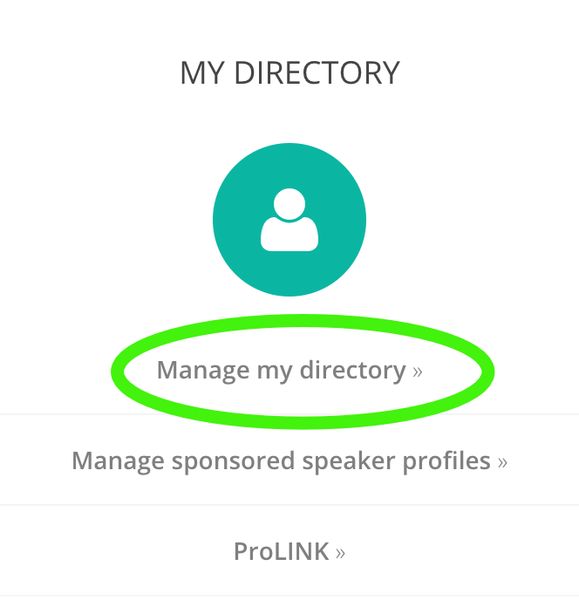
as an administrative user- In the menu that comes up, click MANAGE MY DIRECTORY.
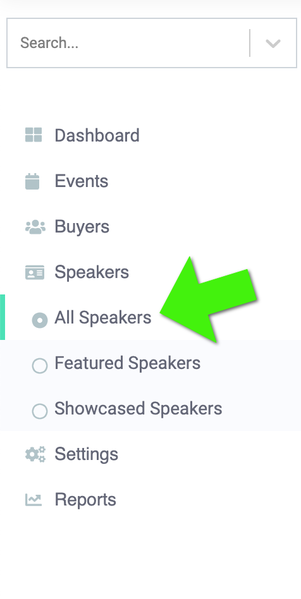
- Expand the SPEAKERS menu on the left sidebar, and click ALL SPEAKERS
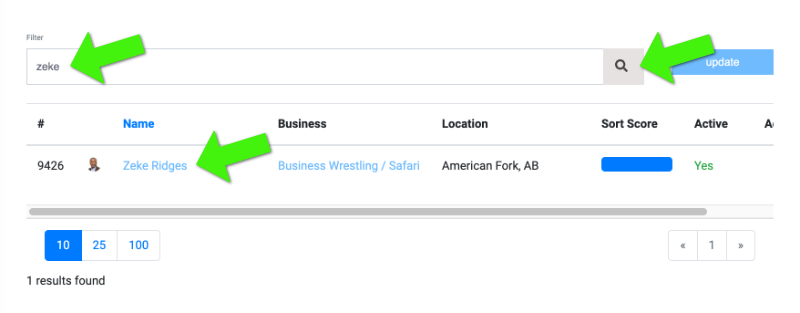
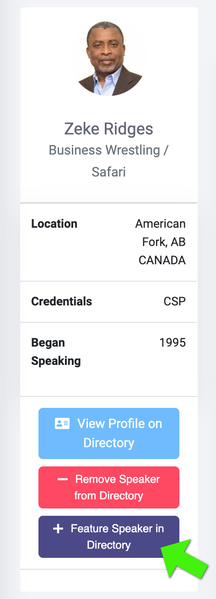
- Use the search field to find the speaker you want to feature, click their name in the list to show their profile, and click the FEATURE SPEAKER IN DIRECTORY BUTTON
How Do I Turn Off Featured Status for a Speaker? To turn off featured status for a speaker:
- Sign in to your Marketplace directory management screen.
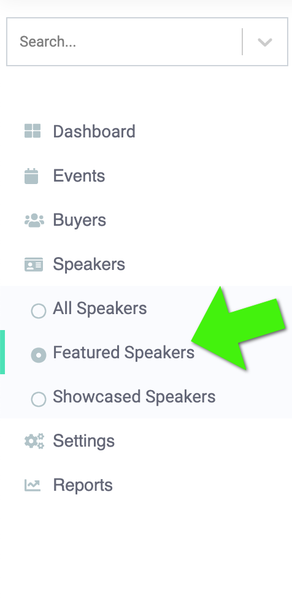
- Expand the SPEAKERS menu on the left sidebar, and click FEATURED SPEAKERS.
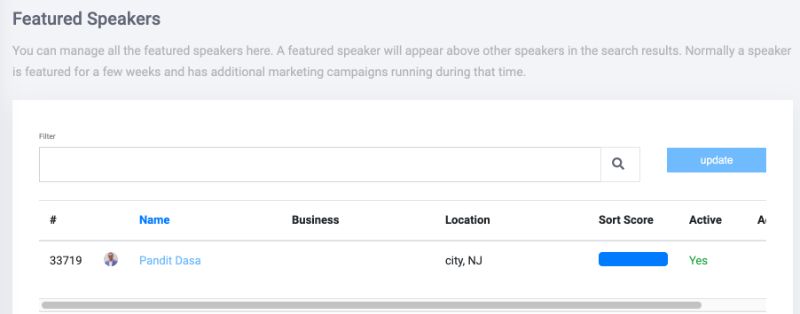
- Find the currently featured speaker in the list, click their name in the list to show their information page.
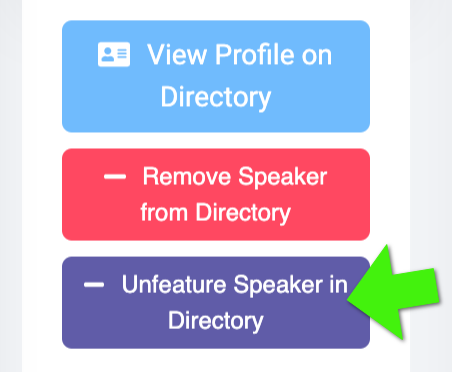
- Looking at the speakers information, click the UNFEATURE SPEAKER IN DIRECTORY BUTTON.
You can change featured speakers as often as you want.


