
eSpeakers custom-designed EventCX app is the backbone of your successful speaking business. EventCX is available for your computer and for your mobile device.
Run EventCX on your computer #
The best way to launch EventCX on your computer is to use (and bookmark) this URL: https://www.espeakers.com/myevents
Some users prefer to have an installed application with its own clickable icon:
- EventCX for MacOS
- EventCX for Windows 8+
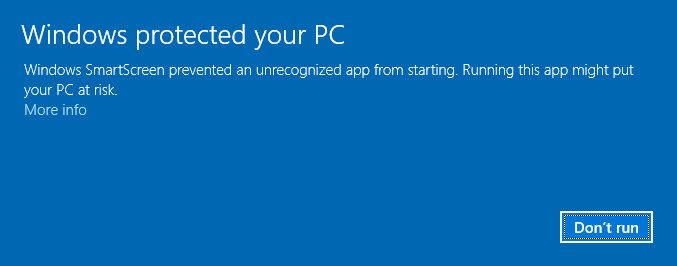
Some Windows users may see a Windows message saying “Windows protected your PC”. To continue, click the MORE INFO link, then click RUN ANYWAY.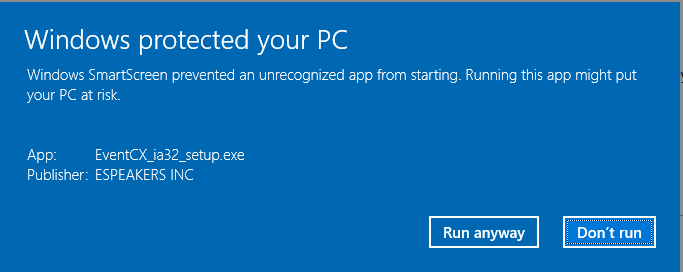
Run EventCX on your mobile device #
Mobile apps are available to PRO level accounts with minimum user access level of FULL.
iOS devices #
- for iPhone/iPod/iPad install in iTunes
Current version 3.0.10, effective Jan 30, 2019 Works on iOS 8.0 and higher, including iPhone 4+, iPad, and iPod Touch 3rd generation or newer
Android devices #
- for Android phones & tablets install on Google Play
Current version 3.0.10, effective Jan 29, 2019 Works on devices with Android 4.0, or newer


