
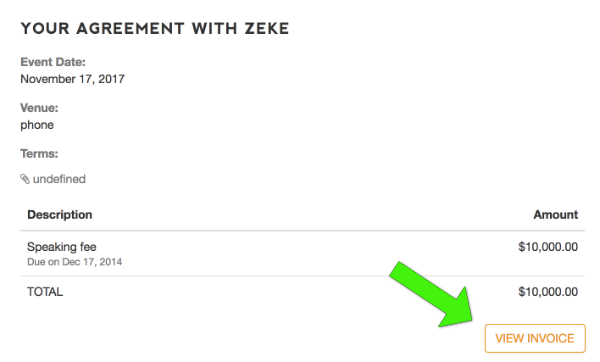
A combination invoice / receipt is available to you at any time through the Marketplace platform.
If you need to change your card or bank account after paying the deposit, use the PAYMENT SETTINGS screen to update your credit card or bank account:
- Log in to eSpeakers Marketplace (or the branded site where you signed up)
- Choose the MY JOBS menu from the top menu bar
- Select the job for which you want to view the invoice/receipt
- Looking at the job details screen, select the SPEAKER that you hired
- Find the VIEW INVOICE button lower right (you may need to scroll down) and click it to have the invoice/receipt emailed to you


