Your user ID on a speaker account has several email preference choices for the various automated notices eSpeakers sends. You can set your username to receive only the type of email that you want. If your eSpeakers username is attached to more than one speaker account, you can manage the type of email you want to receive separately for each of the speakers you work with.
To manage your email preferences:
Open your web browser to the User Manager (signing in first if needed)
In the USERS list, click on the user you want to access and click the EDIT button below the list.
Check or uncheck the boxes next to each type of email, then click SAVE to commit your changes.
In order for ANY of the choices in your email preference to be acted upon, the choice “receive notices about service changes from eSpeakers” must be checked ON.

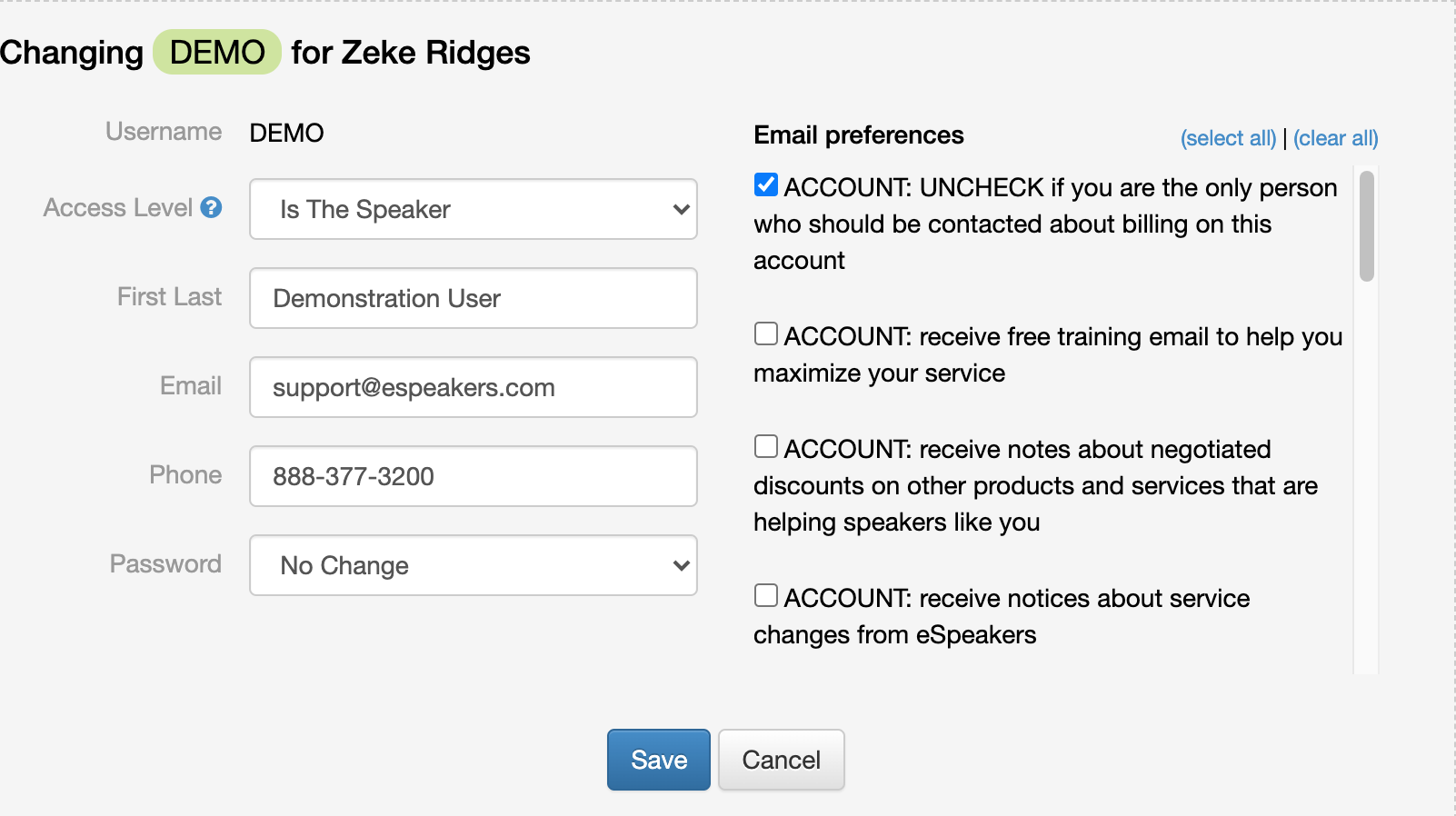
 In order for ANY of the choices in your email preference to be acted upon, the choice “receive notices about service changes from eSpeakers” must be checked ON.


