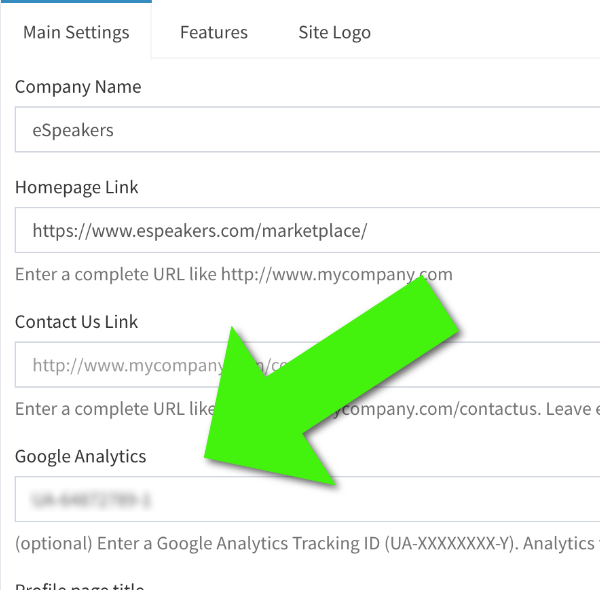
Analytics are a powerful tool for understanding and growing the traffic that comes to your speaker directory. Google Analytics is the most popular web analytics service, and your Marketplace whitelabel directory can report its traffic to your own Google Analytics account.
If you don’t have a Google Analytics account yet, you can sign up for a free account .
How do I get Google Analytics data for my directory? #
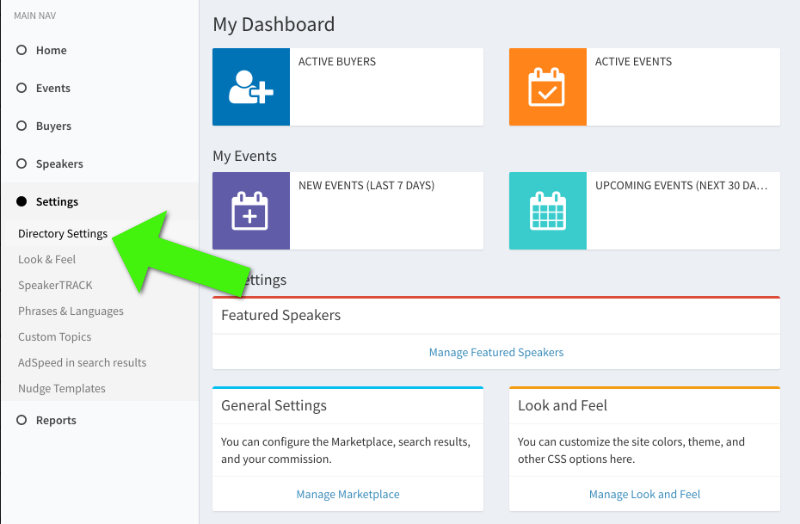
You can have your directory report its analytics data directly to your Google Analytics property.
- Sign in to eSpeakers as an administrative user
- Choose MANAGE MY DIRECTORY from the MY DIRECTORY menu.
- From the left-side menu, choose SETTINGS, then DIRECTORY SETTINGS
- Find the field labeled GOOGLE ANALYTICS and enter your analytics “tracking id”. It looks like UA-12345-1.
- Click SAVE to commit your changes.