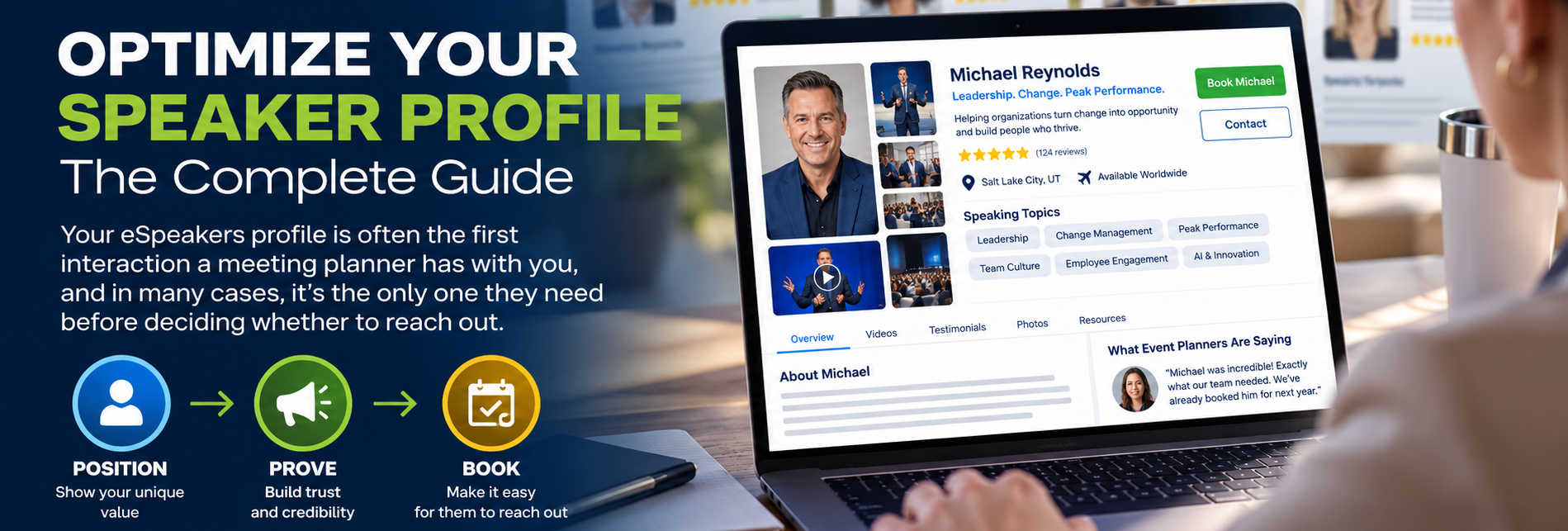
Optimize your speaker profile: the complete guide
Download your “Optimize Your Speaker Profile Guide”
To optimize your speaker profile, build it in the order a meeting planner reads it: photo, audience benefit statement, bio, video, fees, reviews, and programs. Getting booked is a visibility and trust problem, not a performance problem. This guide walks through each section with the specific choices that earn the click, the read, and the booking.
Why a stale speaker profile costs you bookings
Meeting planners are working against a deadline, a topic, and a budget. Planners like the members of Meeting Professionals International need to find you, quickly assess your credibility, and book you with minimal friction. A profile that looks unfinished or untouched for months signals risk to a planner who has to justify the choice to someone else.
The good news: once you build a strong profile, eSpeakers keeps it updated across the eSpeakers Marketplace, partner association directories, association chapter directories, industry directories, and speaker bureau directories automatically. Update it once, and it stays current everywhere else within 24 hours.
The time you spend here does double duty. What you learn about writing a compelling headline, choosing the right photo, or describing your programs applies just as well to your website, your one-sheet, and every other piece of marketing you create.
How meeting planners actually look at your speaker profile
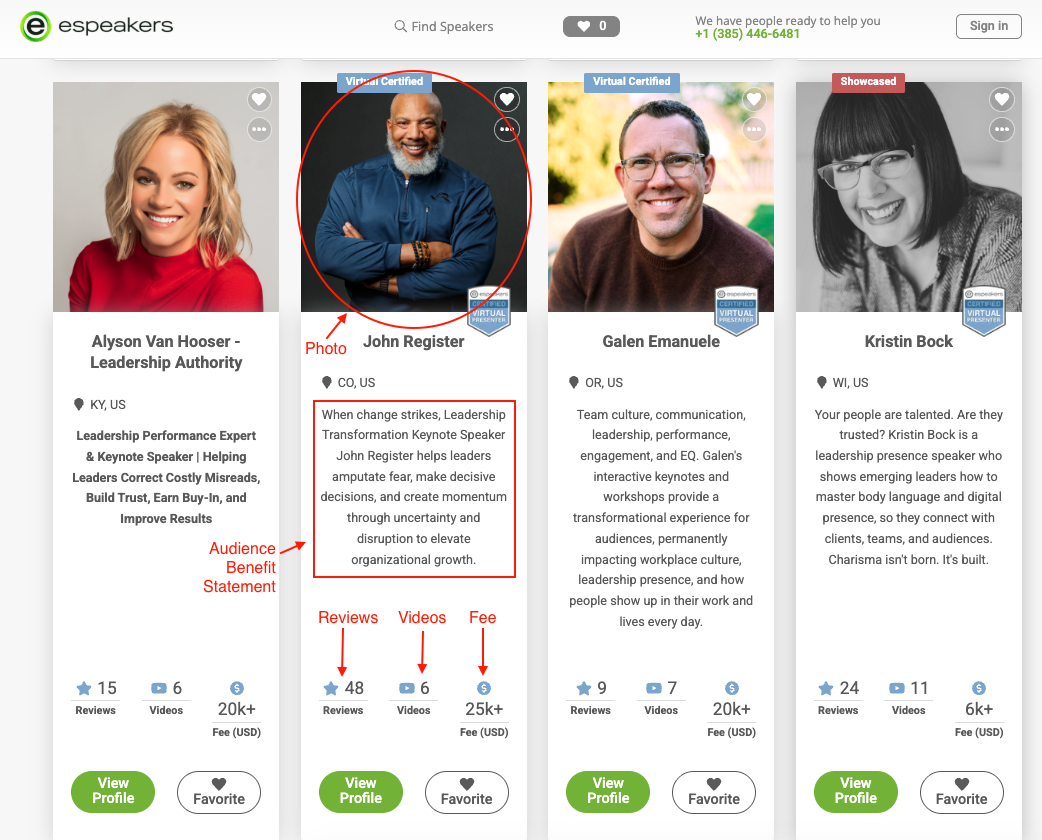
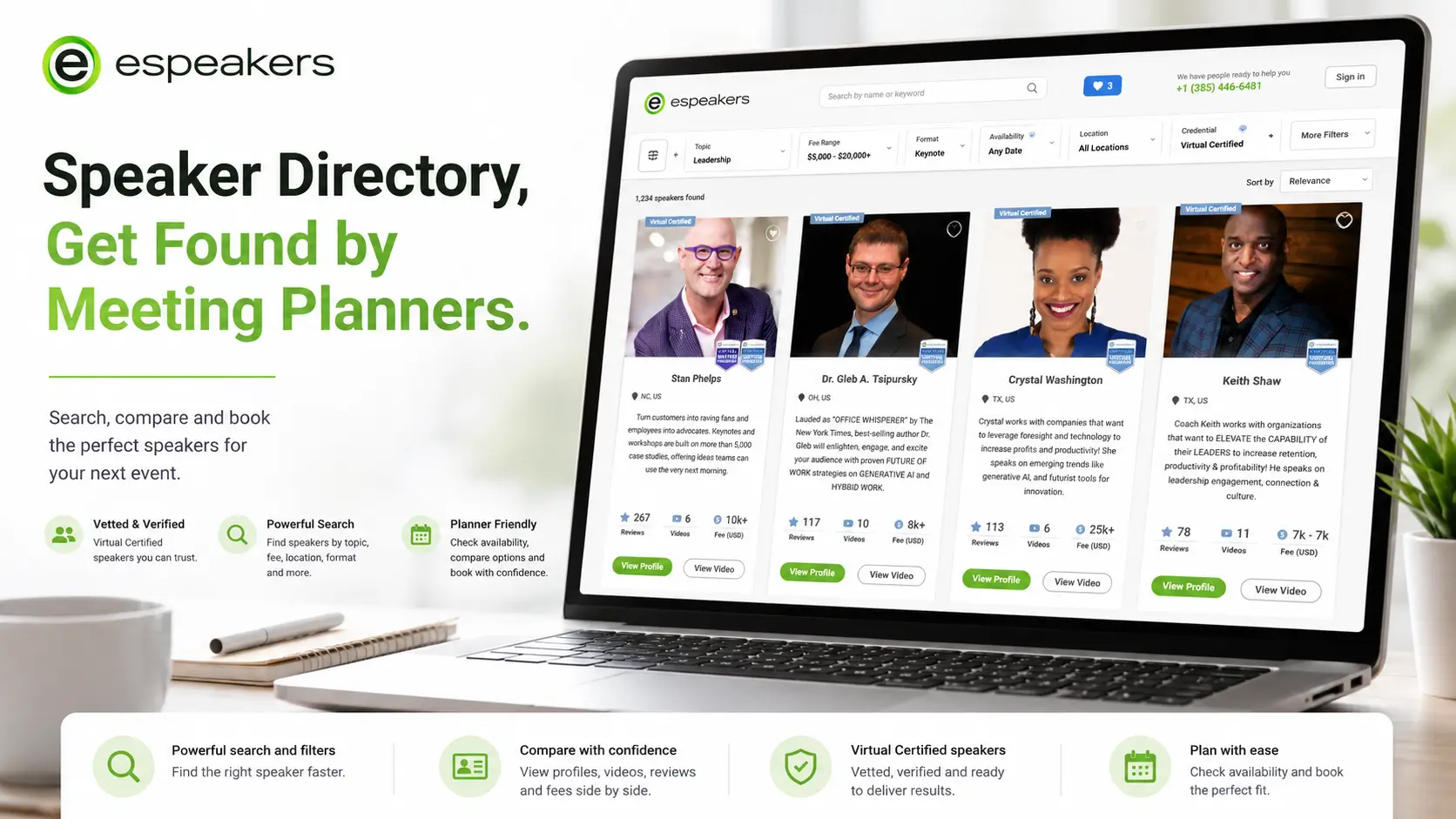
When someone searches a directory, they land on a results page packed with speakers. Each card shows a photo, a short headline (your audience benefit statement), and a quick glance at video and review counts. Those few elements decide whether a planner clicks through.
Once they click in, they land on your full profile: bio, video, reviews, programs, and fees, roughly in that order. A weak link anywhere in that chain can cost you the click, the read, or the booking.
Start with your audience benefit statement, since it’s the first thing a buyer reads. Then update your headshot, your bio, and your primary video, in that order. Those four elements drive most of a buyer’s first impression.
Make the right first impression with your profile photo
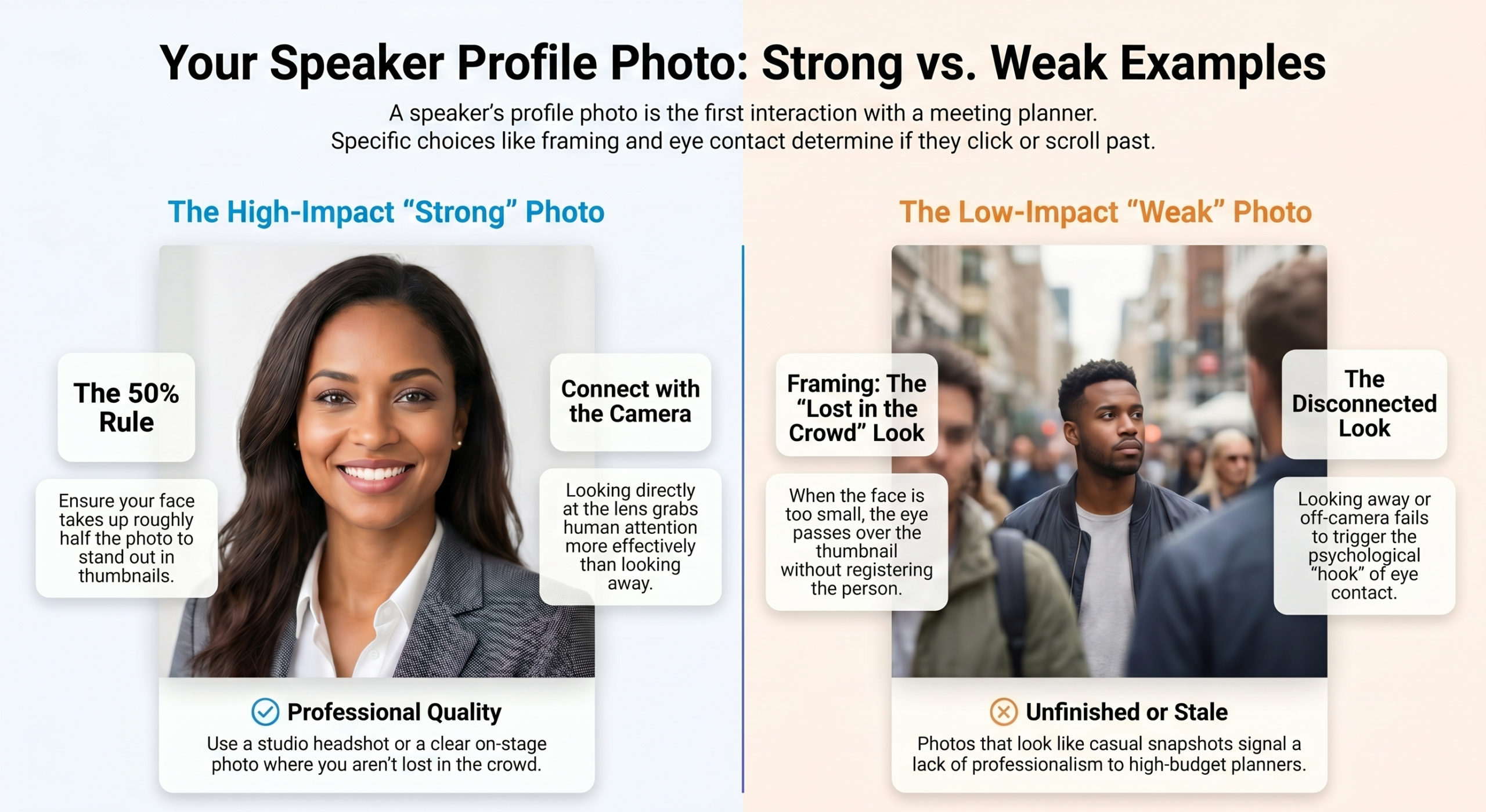
Your photo is the first thing a meeting planner’s eye lands on. A few guidelines make a real difference:
- Go professional. A studio headshot is worth the investment, and many photographers charge less than $100. A great on-stage photo works too, as long as your face is clearly visible.
- Fill the frame. Your face should take up roughly half of the photo. On a page of small thumbnails, bigger faces draw more attention.
- Look at the camera. Direct eye contact stands out on a results page. It’s how human attention works.
- Get the format right. Upload a JPG, PNG, or GIF, ideally 600 by 600 pixels. The profile editor lets you crop and zoom after upload.
- Know when to break the rules. If a signature pose or visual style is part of your brand, use it. Just be intentional.
Write an audience benefit statement that hooks the buyer
Your audience benefit statement (ABS) is the highest-leverage text in your profile. It appears next to your name and photo, it’s one of the only lines a planner sees on a results page, and it often decides whether they click. You have 300 characters, so every one counts.

The single biggest mistake
Most speakers write about themselves. Credentials, awards, and passion statements feel natural, but they don’t answer the planner’s only question: what will be different for my organization after this person speaks?
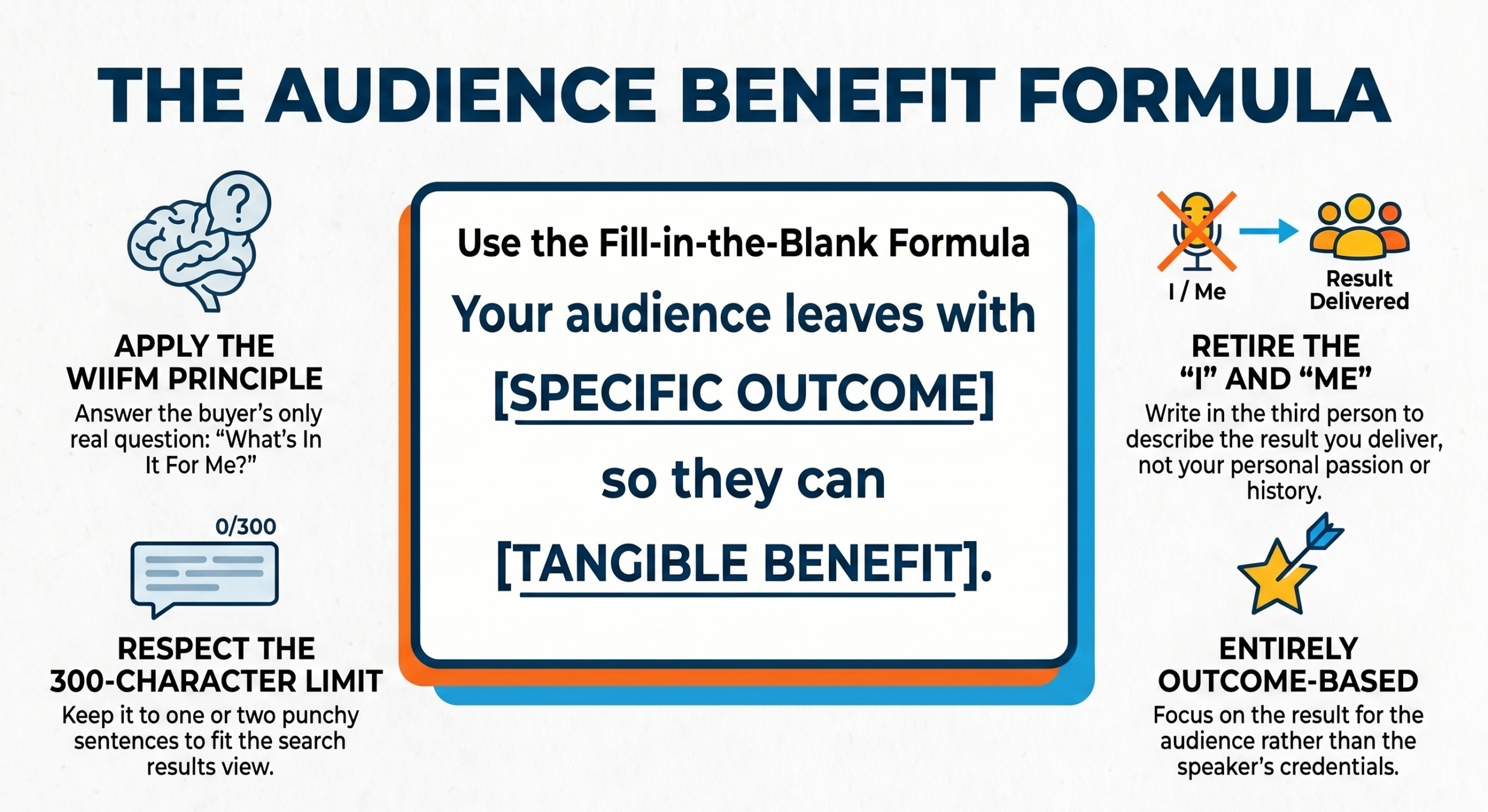
This is the WIIFM principle, short for “what’s in it for me?” Write every sentence from the buyer’s side, focused on the outcome your audience walks away with.
Rules for writing it
- Make it entirely outcome-based. Describe how the audience will be better after hearing you, not what you’ve accomplished.
- Avoid the word “helps.” It’s vague and passive. Name the specific strategy, framework, or result instead.
- Don’t repeat your name. It already appears right above your statement.
- Write in third person. Skip “I am…” and “I will…”
- Eliminate “I” and “me.” Retire “I’m passionate about…” Planners hire a result, not your passion.
- Keep it to one or two sentences. If it doesn’t fit, cut.
A formula to get you started
Draft a version with your own outcome and benefit, then tighten it until it fits and sounds like you, not a template.
Words to retire
“Dynamic,” “engaging,” “passionate,” “thought leader,” and “sought-after” show up in almost every profile, so they no longer tell a buyer anything. Leading with your personal story has the same problem. It may land on stage, but in your profile it delays the answer the buyer wants.
Picture walking onto a car lot looking for a specific car. A salesperson who launches into the manufacturer’s history and award wins won’t move you closer to buying. You want to know how the car makes your life better. Your benefit statement works the same way: planners shop for a result, not a biography.
Expand the pitch with your speaker bio
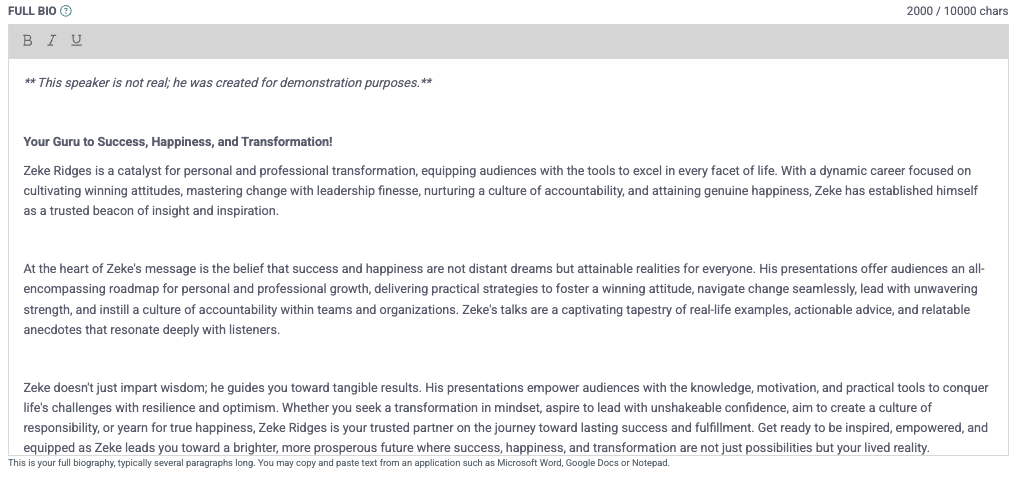
Your bio picks up where your benefit statement leaves off. Aim for several paragraphs, about a two-minute read. Pages of dense text lose readers before the good part.
Lead with the same audience-focused angle as your ABS: what problems do you solve, and how will the audience be different afterward? The opening paragraph should make the right buyer think, “That’s exactly what we need.”
Then add the material that builds credibility, in any order:
- Your most popular program or keynote, so the reader can picture a booking.
- Your story, background, and qualifications, which show you can deliver on the opening promise.
- A short list of recognizable past clients, ideally with a one-line quote from each.
Use the editor’s bold text and bullet lists sparingly to break up long blocks. A wall of unformatted text discourages readers before they start.
If writing about yourself doesn’t come naturally, eSpeakers has a writer on staff who can draft or polish your bio for a modest fee. Email support@espeakers.com.
Topic-specific and multi-language versions
Most users never discover this: you can write a separate benefit statement and bio for each of the 6 topics on your profile. When a planner searches one of your topics, that version shows in the results and on your full profile. In effect, you get 7 profiles: your main one plus one per topic.
The same works across languages. Add your benefit statement, bio, program descriptions, video, and audio in any language you speak. Planners who search in that language see your version, which opens searches you’d otherwise miss.
Choose your topics strategically
You can select up to six topics from the eSpeakers master list. Order matters: your first selection is your primary topic.
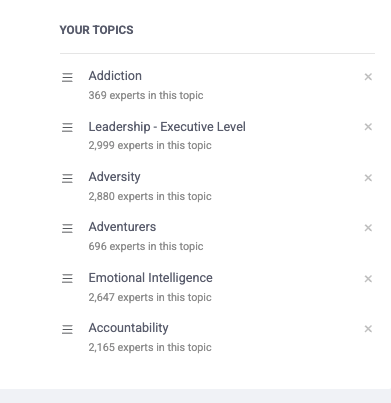
Selecting all 6 can backfire. Topics as different as leadership, safety, and marketing can read as unfocused and undercut your credibility. Focus also pays off in ranking: when two profiles tie on eSEO score, the one with fewer topics wins.
Below your topics, select up to 4 industries from your past work experience. A dealership owner hiring a sales trainer who sees your years in automotive now has another reason to trust you.
Get specific within your topic
“Leadership” has thousands of speakers. “Leadership for mid-size organizations navigating a merger or culture change” is findable, memorable, and hard to confuse with anyone else. The more specific you are, the smaller your competition and the better your inquiries.
Select the broad topic of Leadership, then use that niche phrase in your bio, program title, and program description so keyword searches find you.
Add a video that sells you
After your photo and headline, video is what planners look for next. You get up to 30 minutes in total. Use several 2 to 3 minute clips instead of one full keynote.
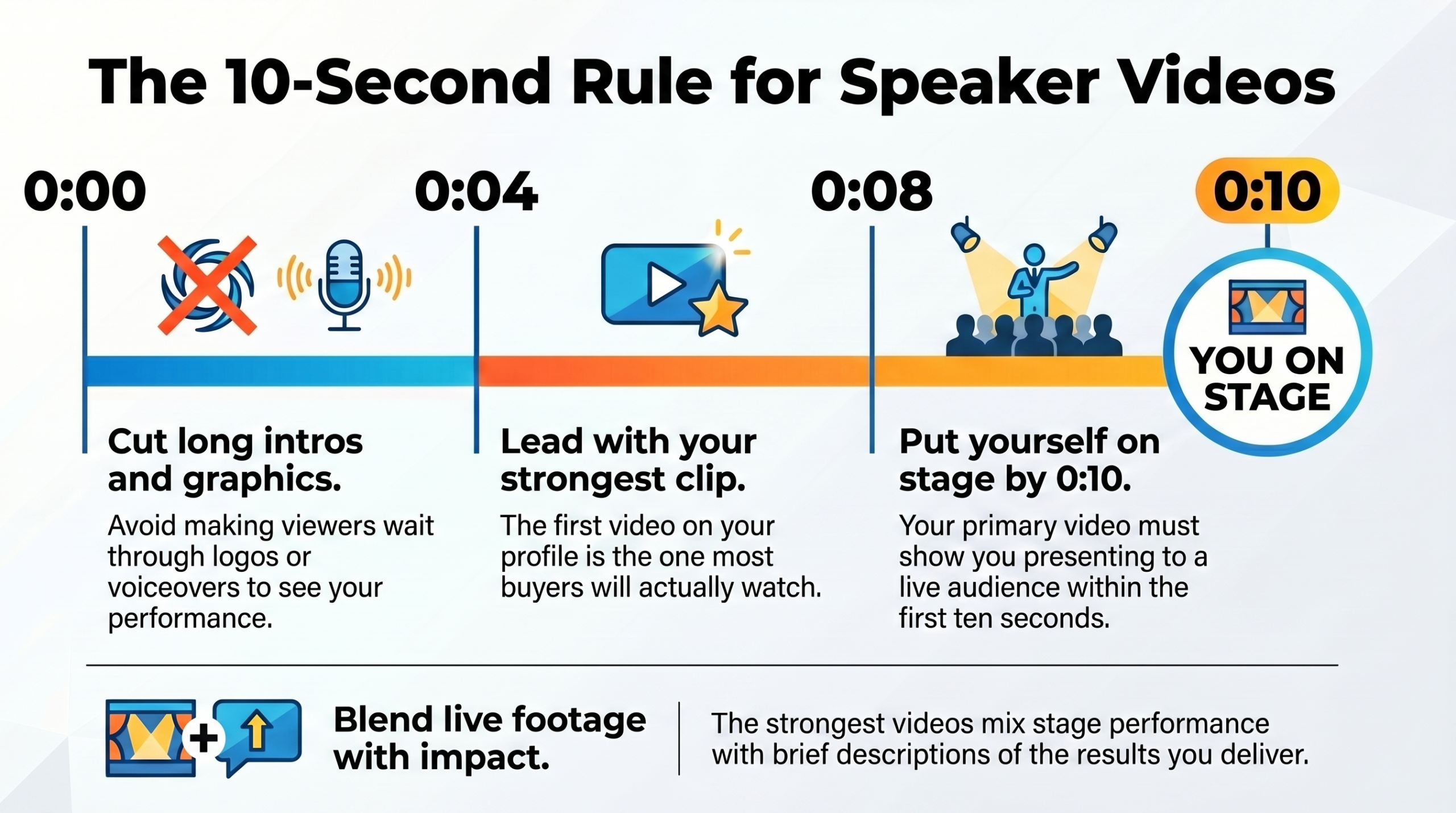
The clip at the top of your list is your primary video, and it’s the one most buyers watch. Put yourself on stage, in front of an audience, within the first 10 seconds. Intros are fine, but don’t make viewers wait through them.
The strongest videos blend stage footage with testimonials or voiceover about your impact, then return to the stage. Use extra clips for other audiences, topics, TV appearances, or testimonials, each with a clear title. “Keynote to 5,000 sales executives” tells a buyer immediately whether it fits their event.
Don’t wait for a multi-camera shoot. Some video is far better than none. Ask someone with a decent camera to record your next talk with clear audio, and upload it while you work toward something more polished.
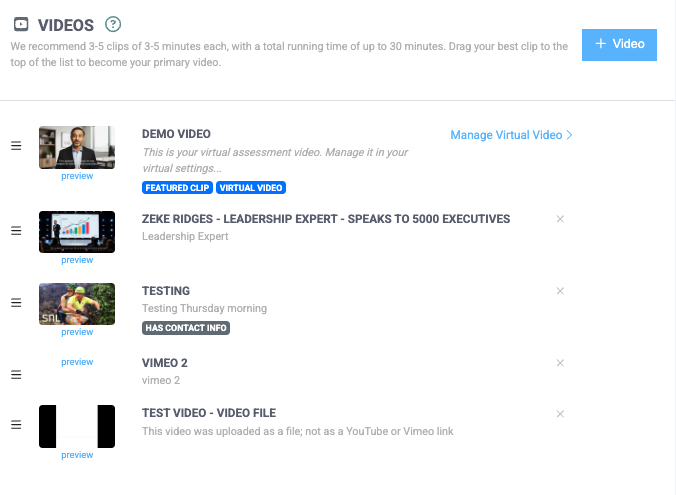
Keep direct contact information (email, phone, website, or social handles) out of the video itself. Several directories that pick up your profile won’t display videos with contact info. If you can’t avoid it, check the box in the uploader so the system handles it correctly.
Set your fees and build a service menu
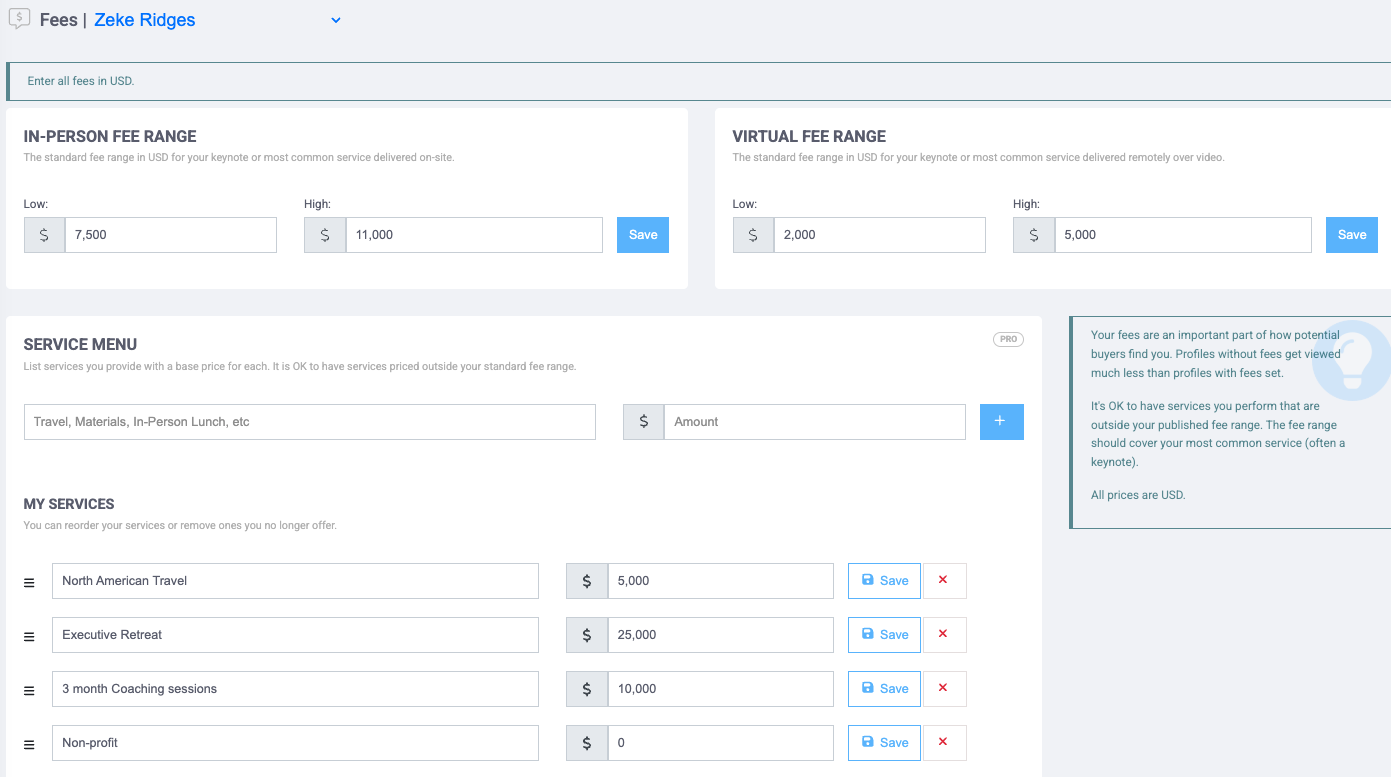
Your fee section sets expectations for what you cost and shows the ways a buyer can work with you.
Start with fee ranges for onsite and virtual events. Many speakers charge about 25% less for virtual, but that’s your call. A single flat fee in both fields works fine too.
Keep the range tight. $2,000 to $25,000 raises the question of what you actually charge. Build your range around the engagement you’re hired for most often.
Emerging professional speakers often start around $1,500 to $3,000. When your calendar fills and clients call your fee a bargain, you have room to raise it. Whatever you charge, deliver value that clearly exceeds it. That’s what drives referrals and repeat bookings.
Collect verified reviews that build trust
Planners look at reviews right after your bio. You don’t need hundreds. 12 to 20 good, verified reviews puts a profile in great shape.
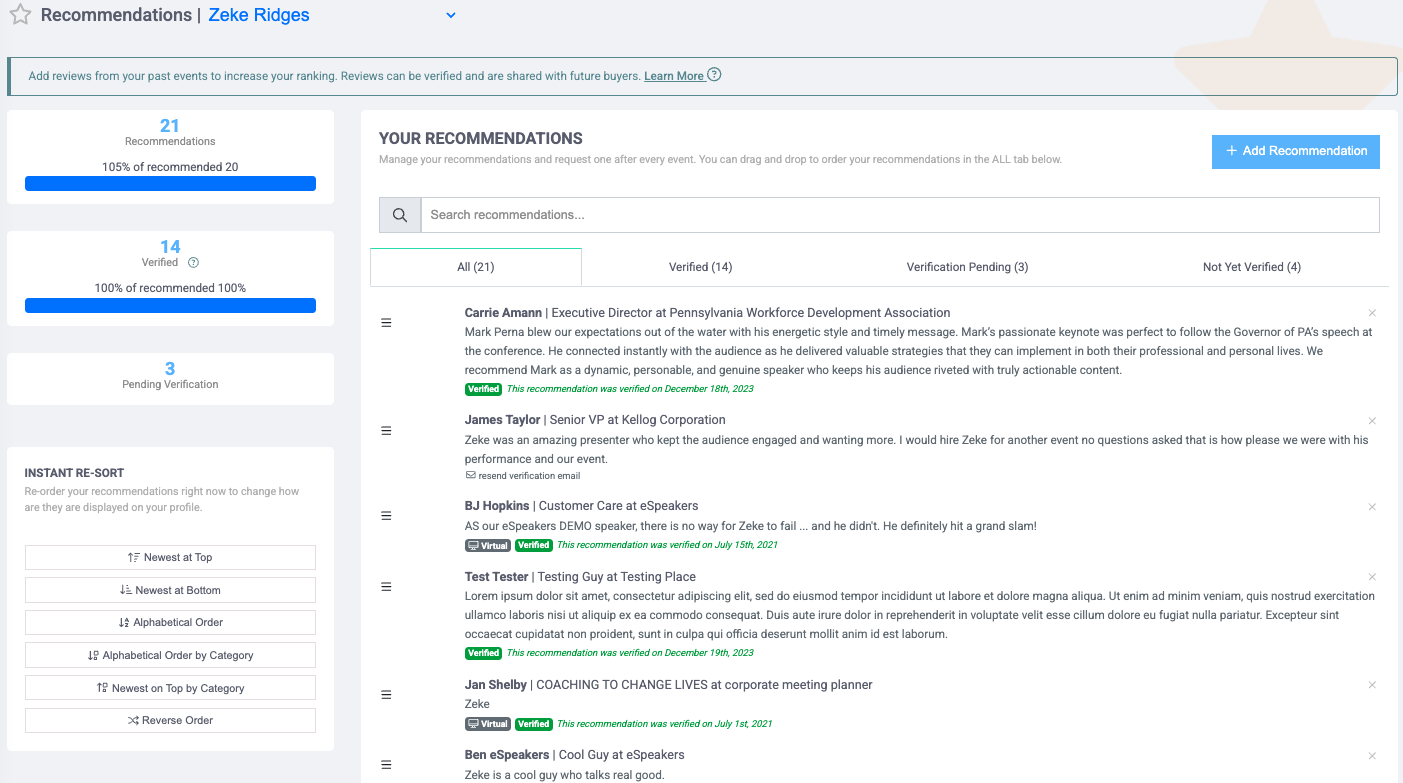
When you add a review, eSpeakers emails the reviewer to confirm it. Once they do, it’s marked verified, which tells buyers it’s authentic.
Submit the reviewer’s company email, not a Gmail or Hotmail address. Buyers see the domain on verified reviews, and a recognizable company domain carries far more weight.
Strong LinkedIn recommendations count too. Enter the text without an email, then send your LinkedIn profile address and the recommendations to support@espeakers.com. For a small per-review fee, the team verifies them manually.
Ask for specifics
“Great speaker, highly recommend” is fine. “We booked three follow-up training sessions within two months” does far more work. After an event, ask the client what measurable impact the session had on their team. You’ll get a stronger review, and it takes them less time to write.
List your programs
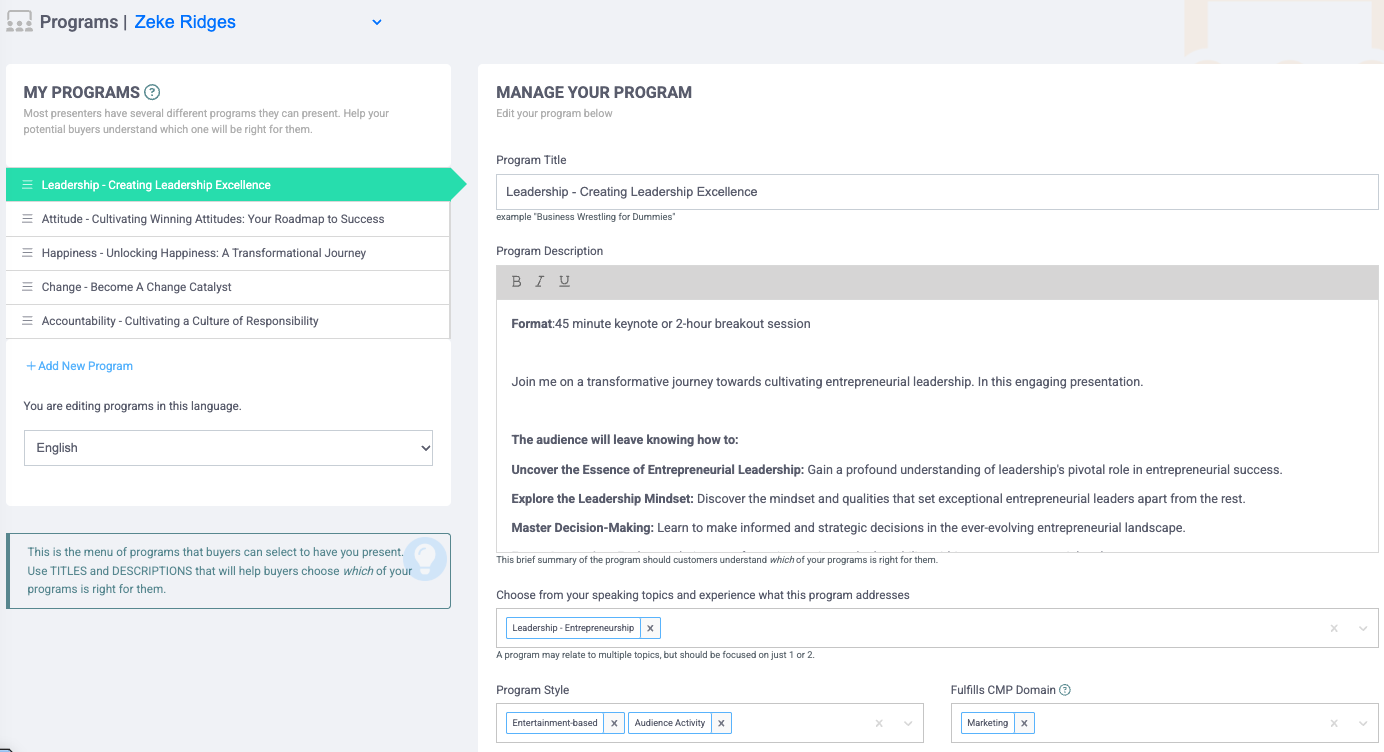
Your programs are the keynotes, breakouts, and workshops a buyer chooses from. Most speakers do well with 4 to 6, and at least 4 is required for a full eSEO score.
Use the built-in template for each: format (session length), target audience (who benefits), and takeaways (what they leave with). It mirrors the planner’s questions: does this fit my agenda, is it right for my audience, and what will they get?
Put your topic in each title. “Building Resilient Teams: A Leadership Workshop” tells a leadership buyer it’s relevant far better than a clever, vague title.
One more tip: record your presentations and review them three ways. Listen to the audio for tone, pacing, and filler words. Watch with the sound off for body language. Read a transcript to catch awkward phrasing. Each pass catches what the others miss.
Round out your profile
- Promotional documents. Add PDFs with pre-sale value for an organizer: a sample contract, an introduction script, A/V requirements, or a room layout. They move a booking toward confirmation.
- Book jackets and covers. Upload cover art for books or other published work. It’s a quick visual credibility boost.
- Associations and credentials. Check the boxes for any speaker association and chapter you belong to. That’s how association directories and bureaus find members to feature. List designations like CSP or CPAE in the credentials field, especially if you use them after your name.
Your eSEO score: the scoreboard for your speaker profile
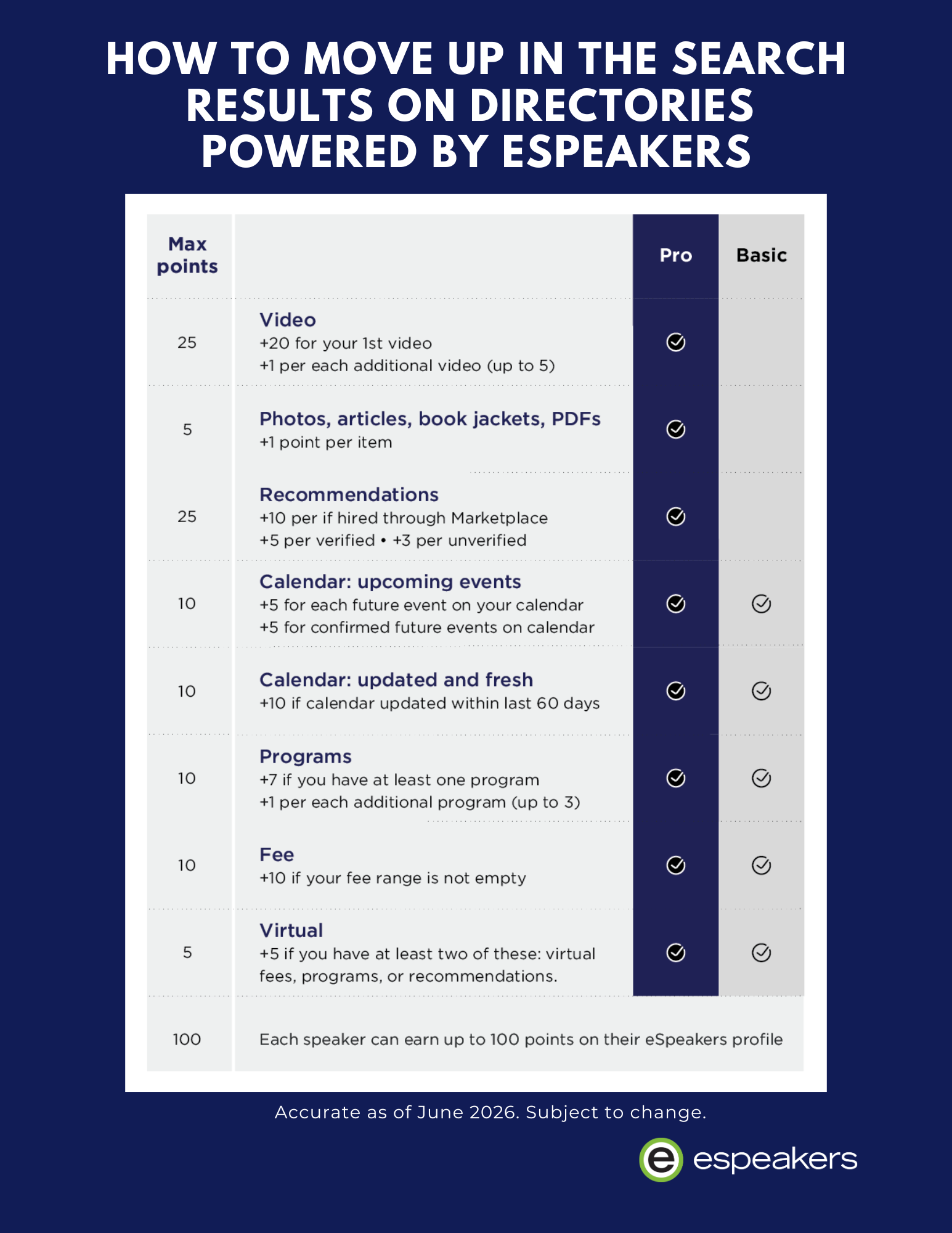
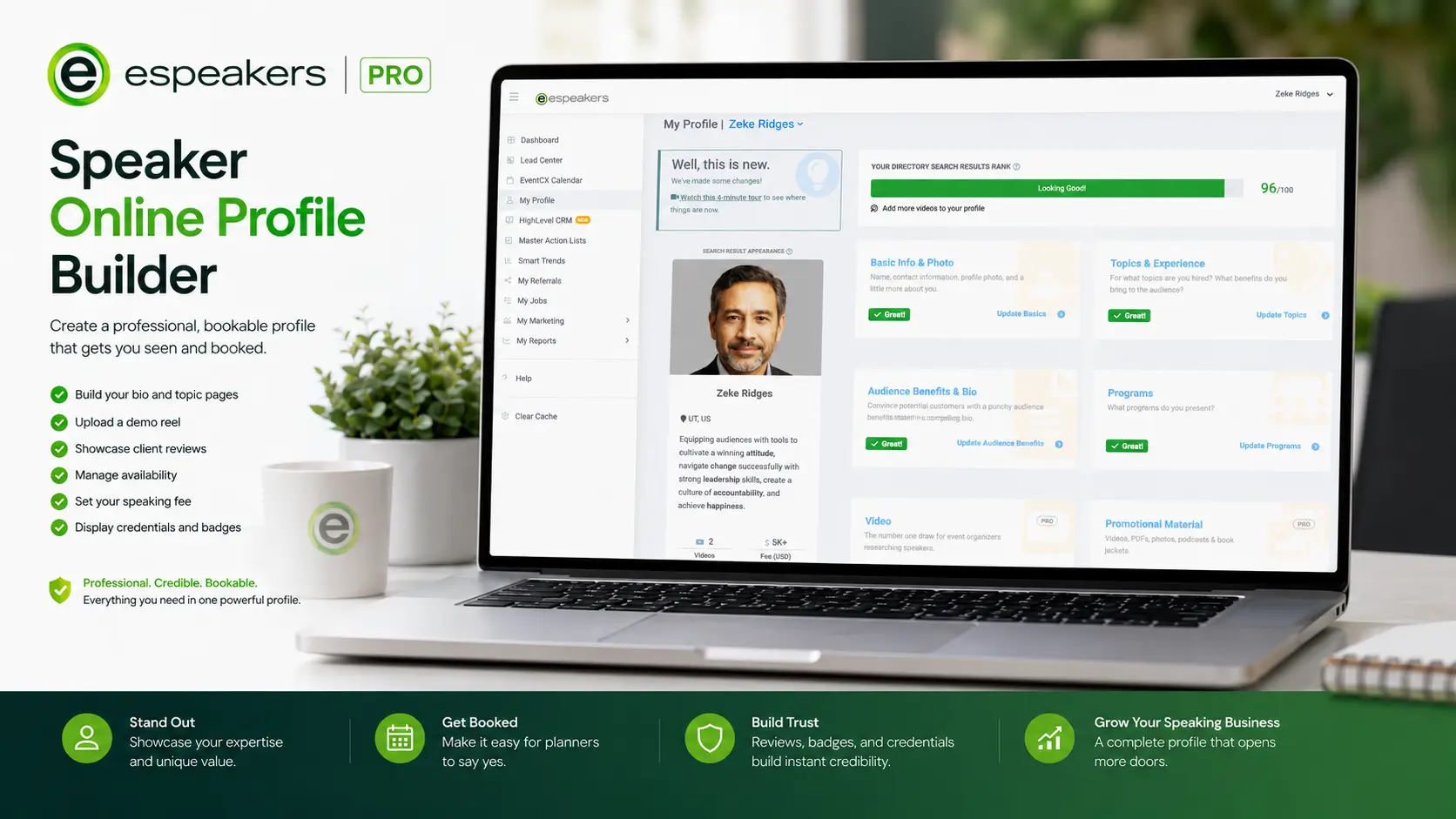
Everything above feeds one number: your eSEO score, out of 100. It reflects how much buyer-relevant content your profile holds: photo, bio, topics, video, documents and book jackets, verified reviews, an up-to-date calendar, programs, and a listed fee.
Higher scores move you up the search results on every directory your profile reaches. The profile editor always shows what earns your next few points, so just work through the prompts.
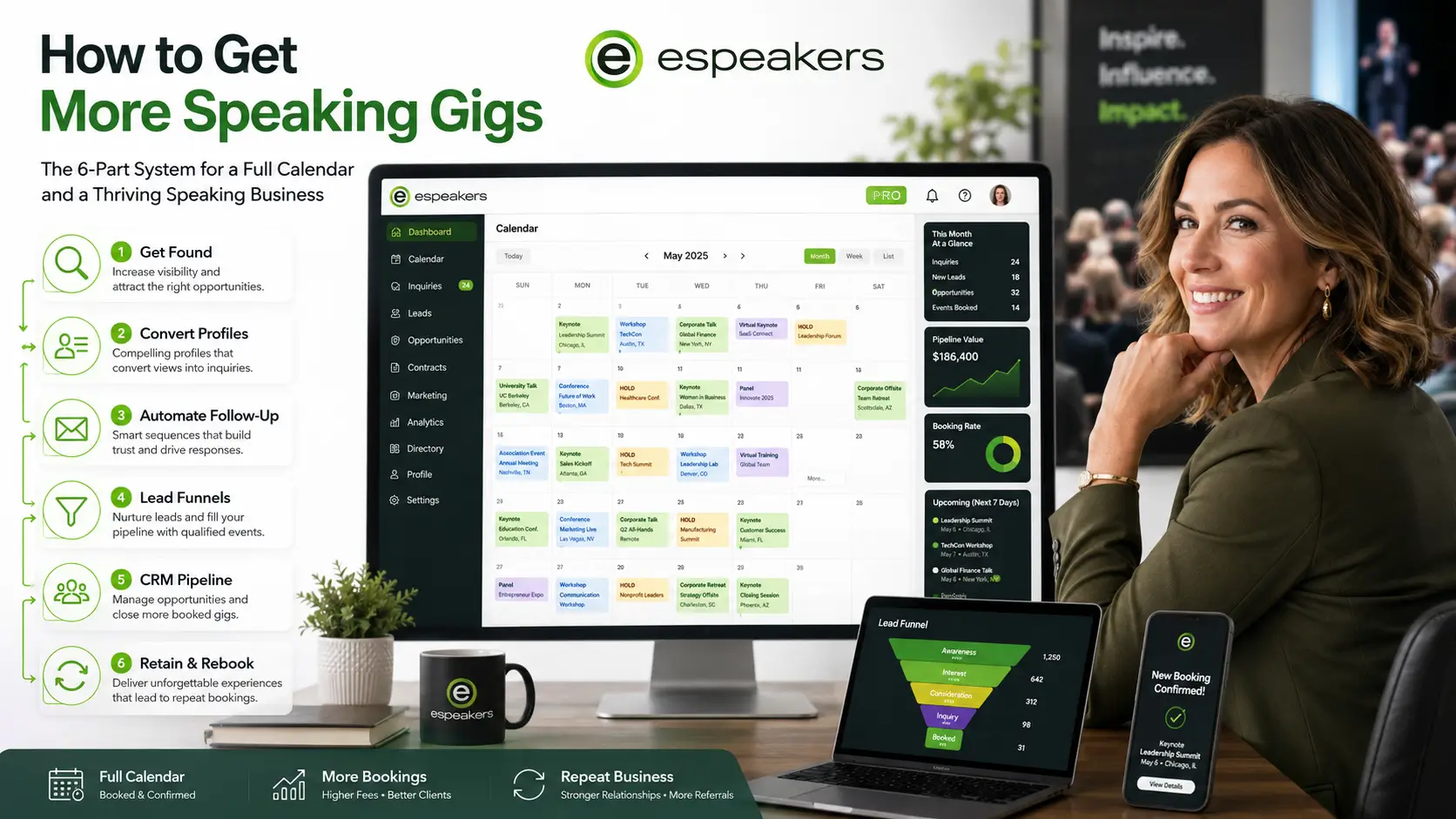
Keep your calendar current. Planners searching a date gravitate to speakers shown as available, and a stale calendar quietly costs you opportunities. Review it at least every 30 days.
Make it a habit
A complete profile isn’t a one-time project. It keeps paying off as long as you keep it current. Set a monthly reminder to check your calendar, add new reviews, and revisit your benefit statement with fresh eyes.
Everything you build here flows to the Marketplace, your association’s directory, your chapter’s site, and any bureaus that feature you, all kept in sync automatically.
A simple way to audit your own profile: pull it up as if you were a meeting planner seeing it for the first time. Would it make someone stop scrolling, or keep looking? If the honest answer is “keep looking,” that’s exactly where to focus next.
Your speaker profile optimization checklist
- Upload a professional headshot or clear on-stage photo, 600x600px
- Face fills roughly half the frame, looking at the camera
- Outcome-focused, third person, no “I,” “me,” or “helps”
- One to two sentences, name not repeated
- Audience-focused opening paragraph
- Includes top program, background, and a marquee client list with quotes
- Formatted with paragraphs and occasional bold or bullets
- Up to 6 topics selected, ordered by priority
- Up to 4 industries from past work experience added
- The primary video shows you on stage within 10 seconds
- 4 to 10 clips, each clearly titled, no direct contact info
- On-site and virtual fee ranges set, with a reasonable spread
- Service menu built out with travel, add-ons, and special rates
- 12 to 20 verified reviews, using company email addresses
- LinkedIn recommendations submitted for verification if relevant
- 4 to 6 programs listed using the format, audience, and takeaways template
- Topic keywords included in program titles
- Promotional documents, book jackets, and association affiliations added
- Topic-specific and multi-language versions added if relevant
- eSEO score reviewed and improved toward 100
- Calendar, reviews, and ABS revisited at least every 30 days
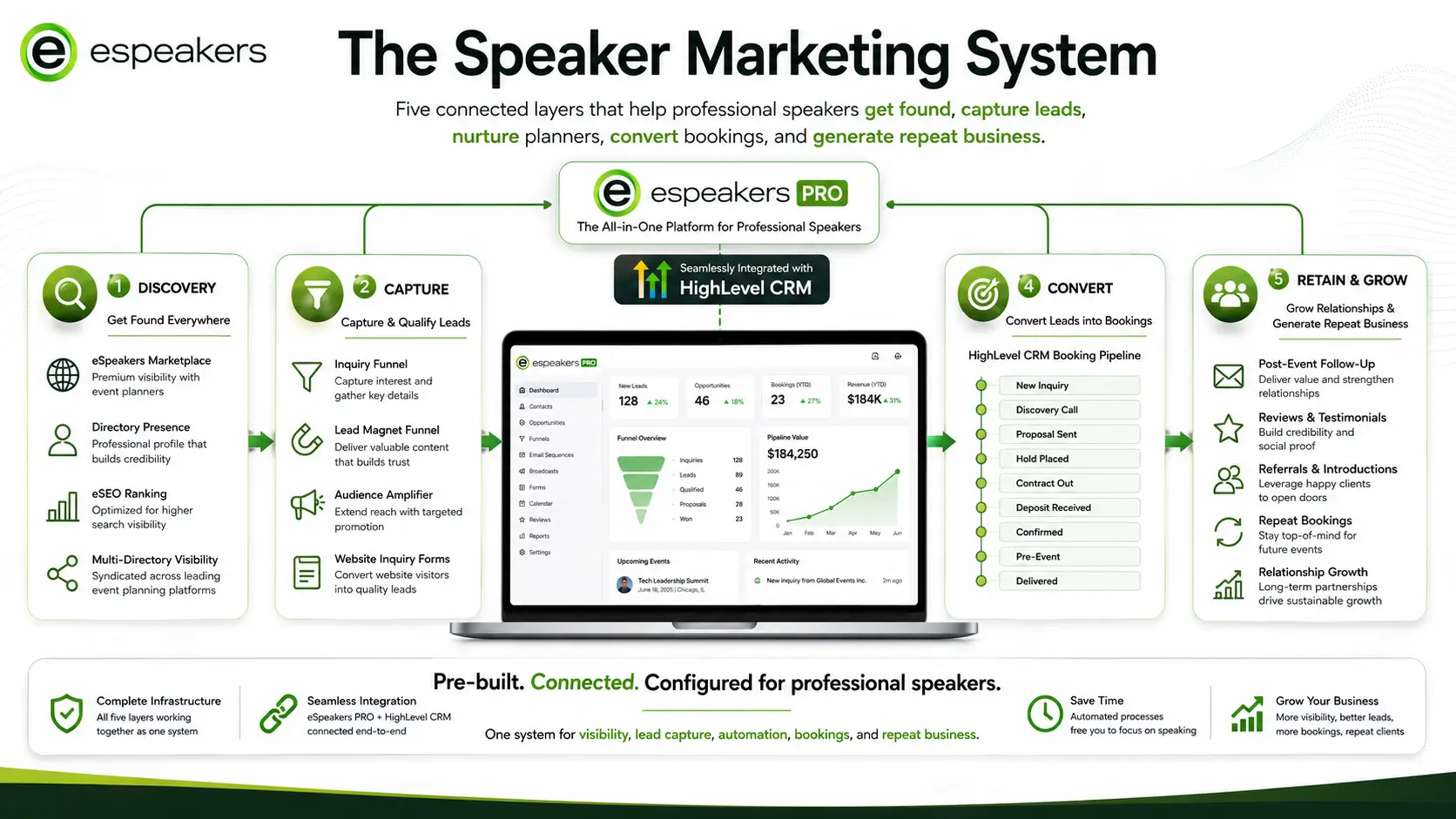
Everything that powers your profile, included with eSpeakers PRO
- A speaker profile synced to the eSpeakers Marketplace, association, chapter, industry, and bureau directories within 24 hours
- Topic-specific and multi-language versions of your benefit statement, bio, and programs
- Verified client reviews, with confirmation emails sent for you
- eSEO prompts that show exactly what earns your next points
- The EventCX booking calendar, so planners see when you’re available
- HighLevel CRM for follow-up, automation, funnels, and email and SMS marketing
No separate tools. No piecing together subscriptions that don’t talk to each other. One platform, built for professional speakers, ready from day one.
Speaker profile FAQ
Planners decide from a handful of elements: your photo, your audience benefit statement, and your video and review counts. A professional, well-framed photo and an outcome-focused benefit statement earn the click. A strong bio, a primary video that shows you on stage within 10 seconds, and 12 to 20 verified reviews earn the booking. Keep your calendar current so you show as available.
An audience benefit statement is the short headline next to your name and photo in search results. On eSpeakers it’s limited to 300 characters. It should describe the outcome your audience walks away with, written in third person, without “I,” “me,” or “helps.” A simple formula: “Your audience leaves with [specific outcome] so they can [tangible benefit].”
Aim for several paragraphs, roughly a two-minute read. Open with the problems you solve and how the audience will be different afterward. Follow with your most popular program, your background and qualifications, and a short list of recognizable clients with one-line quotes. Use bold text and bullets sparingly to break up long blocks.
You can select up to six, but you don’t have to fill every slot. A wide spread of unrelated topics can read as unfocused to a buyer. When two profiles tie on eSEO score, the one with fewer topics wins the tiebreaker. Choose the three or four topics that reflect your real focus, and put your strongest one first.
Use several short clips of 2 to 3 minutes rather than one full keynote. Your primary video should show you on stage, in front of an audience, within the first 10 seconds. The strongest clips mix stage footage with testimonials or voiceover about your impact. Keep direct contact information out of the video so every directory can display it.
Somewhere between 12 and 20 good, verified reviews puts a profile in great shape. eSpeakers emails each reviewer to confirm, and confirmed reviews are marked verified. Submit the reviewer’s company email address, since buyers see the domain. Ask clients for measurable results to get reviews that do more selling.
eSEO is the eSpeakers ranking score, out of 100, that reflects how much buyer-relevant content your profile contains. It counts your photo, bio, topics, video, documents and book jackets, verified reviews, calendar, programs, and fee. Higher scores move you up the search results on every directory your profile reaches. The profile editor shows exactly what earns your next few points.
Review it at least every 30 days. A monthly check is a good time to update your calendar, add reviews from recent engagements, and revisit your benefit statement. Because eSpeakers syncs your profile to partner directories within 24 hours, each update reaches every site that features you. A current profile signals to planners that you’re active and easy to book.
Build the profile that does the selling for you
Your profile works around the clock on every directory that features you. eSpeakers PRO gives you the profile, calendar, reviews, and HighLevel CRM to turn those views into booked dates.
Try PRO for 60 days for just $60. Everything a professional speaker needs in one place.