

Congratulations on becoming a Virtual Master Presenter! This certification tells your customers that you know how to really connect with your audience through the screen. As a presenter with this certification, you are authorized to display the Virtual Master Presenter logo on your website and other marketing materials (card, email signature, etc).
Logo for use on your website or email signature #
For display on a website, you must use the official embed code. This embed code is a small snippet of Javascript that your webmaster adds to pages on your website. The embed code will display the official logo badge at the size of your choice, and links to your official certificate so that visitors can have the confidence of seeing eSpeaker’s 3rd party record of your evaluation.

To get your embed code:
- Login to your eSpeakers dashboard
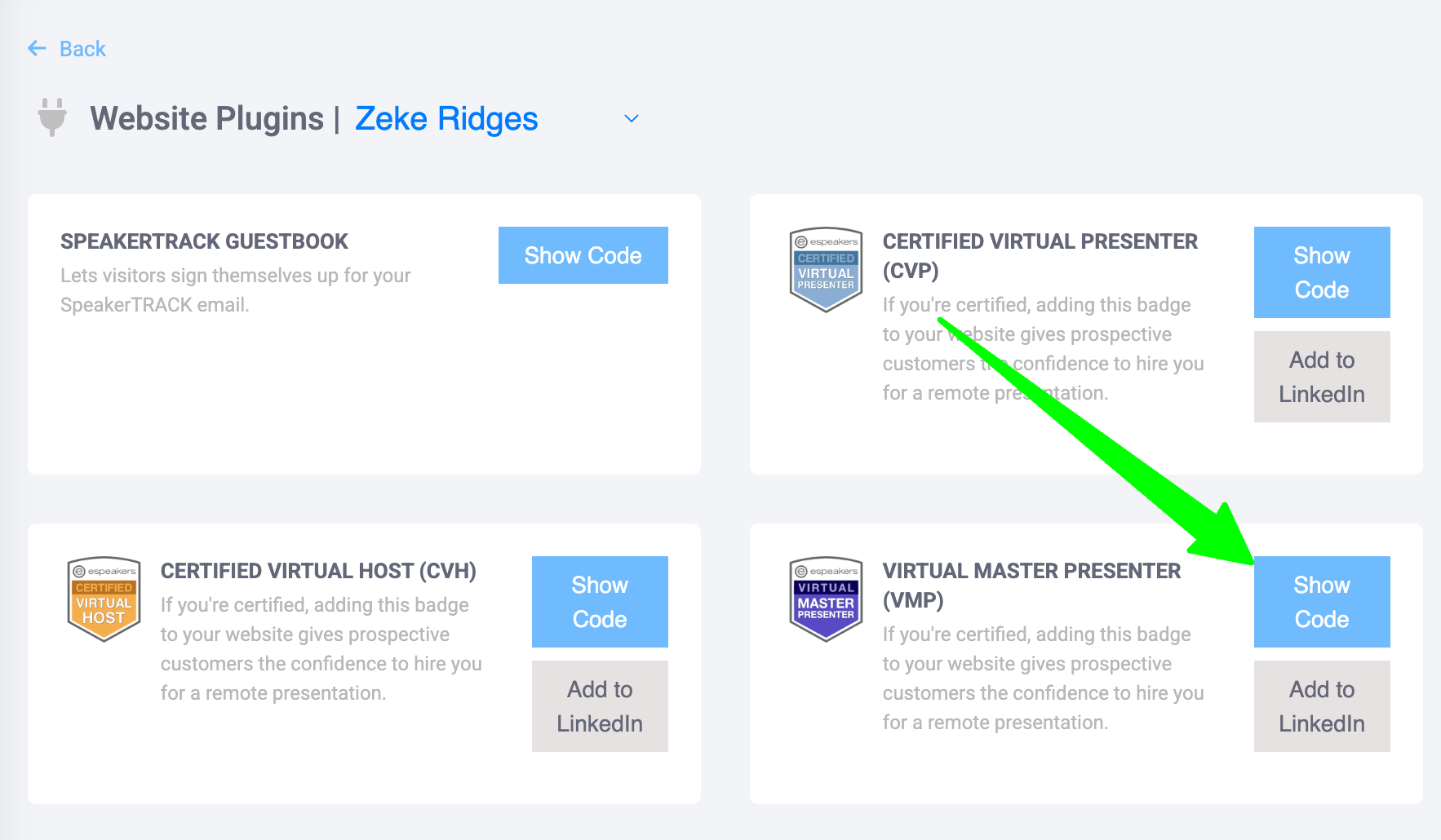
- In the left sidebar, expand MY MARKETING and choose WEBSITE PLUGINS
- Click SHOW CODE next to VIRTUAL MASTER PRESENTER
- On the window that appears, select the size logo that you want and click COPY TO CLIPBOARD
- The embed code is automatically put into your computer clipboard, ready for you to PASTE into a web page, email, etc.
Add the certification to your LinkedIn profile and other social media #
To add the Certified Virtual Presenter certification to your LinkedIn profile:
- Login to your eSpeakers dashboard
- In the left sidebar, expand MY MARKETING and choose WEBSITE PLUGINS
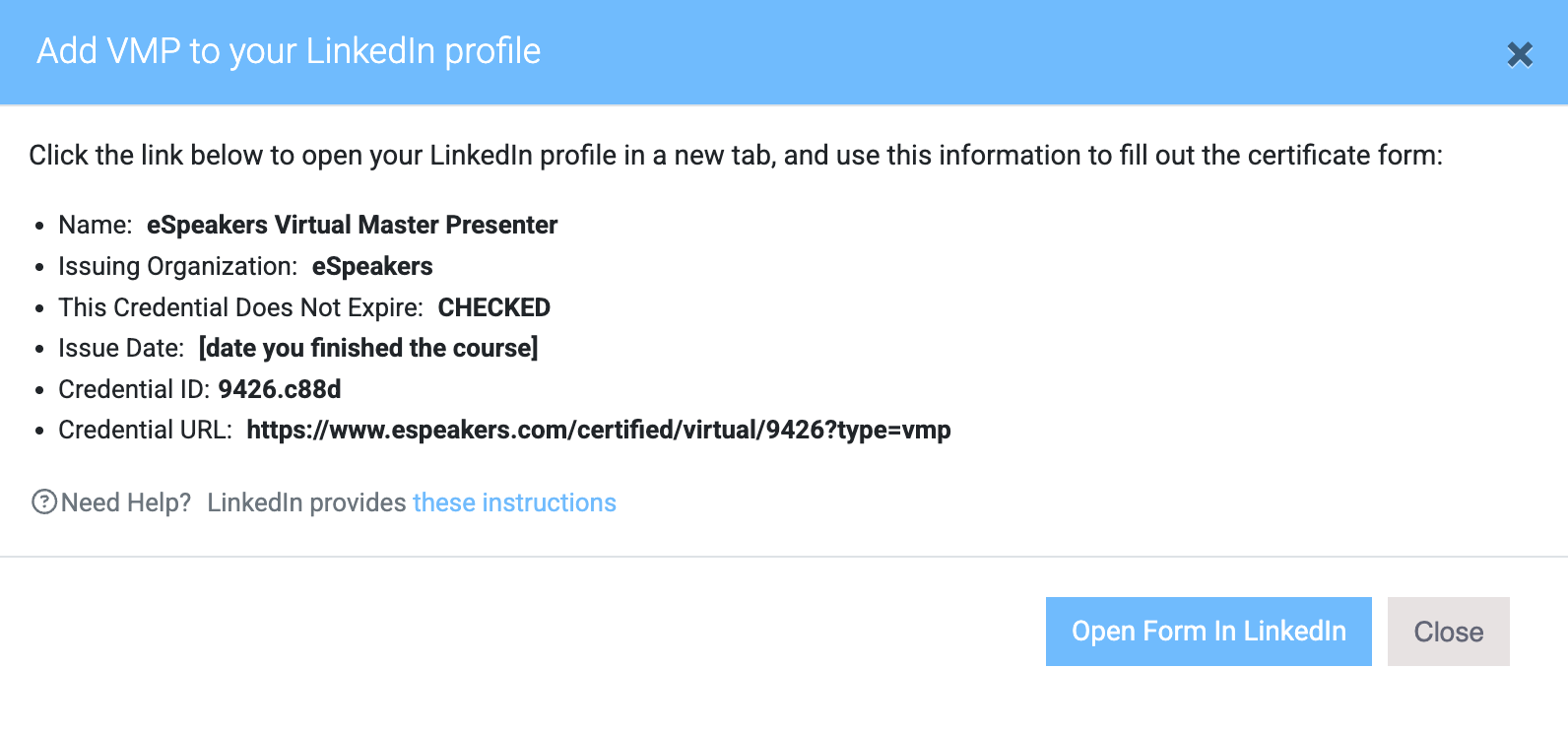
- Click ADD TO LINKEDIN next to VIRTUAL MASTER PRESENTER
- On the window that appears, note the information you’ll need in the next step, then click OPEN FORM IN LINKEDIN to complete the process on the LinkedIn site.
Logo to download for use other than website or email signature #
- vector .pdf version (suitable for print)
- large bitmap (.png) with transparent background
- black & white (.png) with transparent background
Every version has a transparent background.


