Got a podcast? Share it on your profile!
Podcasts are a great way to highlight your expertise and show potential buyers that you’re an active voice in your industry. Your profile can include your podcast/s, displayed to shoppers in a way that lets them listen to it right on the profile page.
You can add a Podcast as a whole (“Mic Drop with Josh Linkner”) or a specific episode (“Mic Drop episode 8”). Use the whole podcast when it’s your podcast, and use individual episodes when you are a guest on someone else’s podcast.
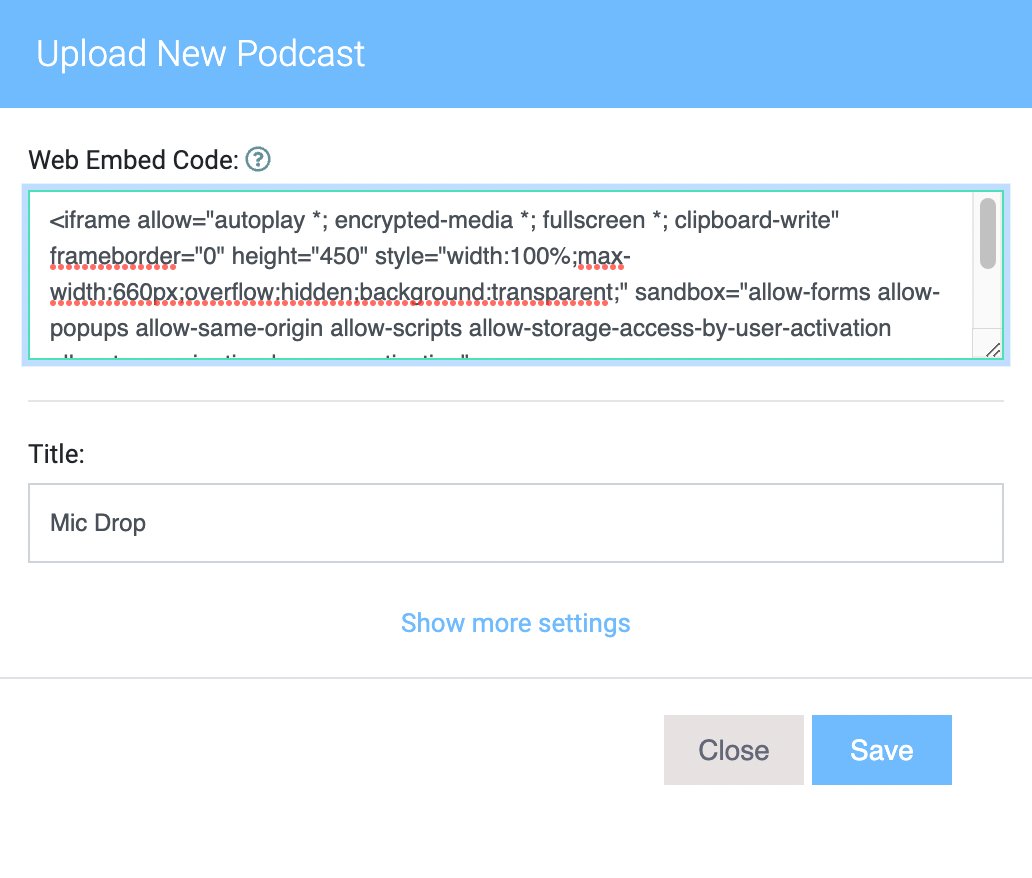
Scroll to the Podcasts section and click + PODCAST
Enter the title of your Podcast, and paste the embed code into the provided box.
Click SAVE to complete.
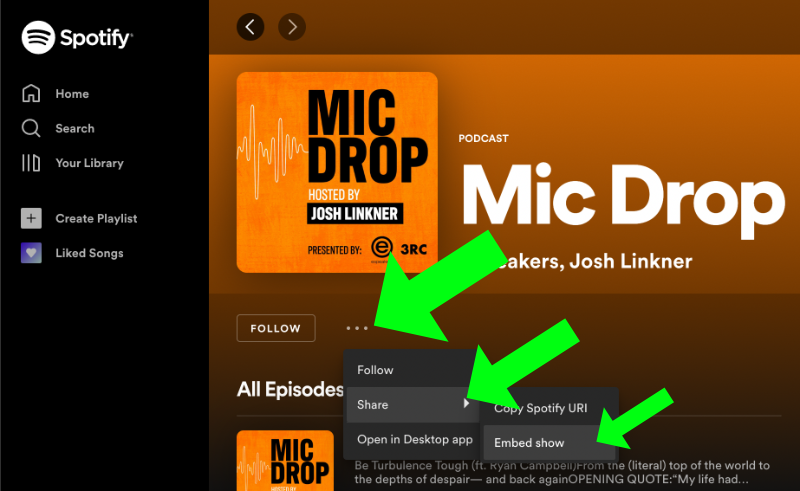
For now, Apple Podcasts and Spotify are the two platforms that we support, so you’ll need to have your podcast available on one of those two platforms in order to show it on your eSpeakers profile.
Find the podcast on the Apple Podcasts
website
(not app). If you’re looking at the podcast in the
app
, you can click the 3-dot menu and choose COPY LINK to get the URL for the website.
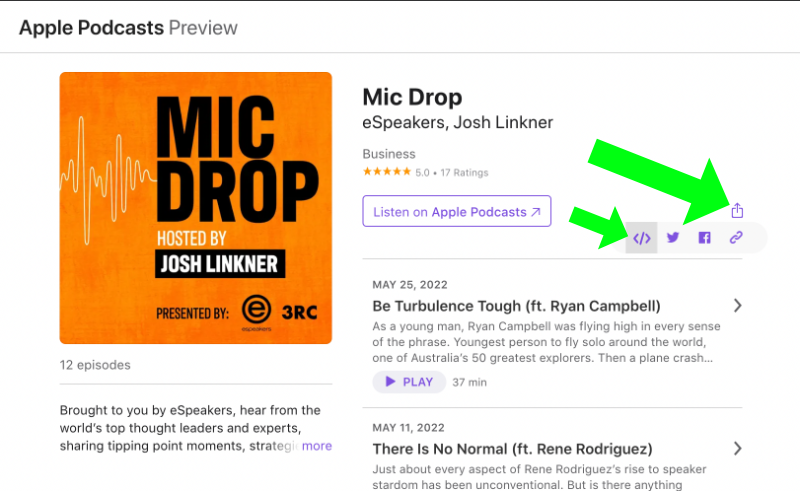
Click the share button (see image), then the </> button.
The code is now copied to your clipboard, ready to paste.