
Using the EventCX specialized calendaring tool is a great way to run your speaking business for growth and sustainability. It is used by the speaker and staff to manage everything related to your speaking calendar.
A small part of your speaking calendar is shared by default to help promote you. Your speaking calendar can be displayed:
- on your profile page
- to registered speakers bureaus who check availability
- by other professional speakers who may receive notice that you’ll be traveling to the same place they are as a means of community building
- on your own website in the LiveSchedule embedded plugin
Wherever it’s shown, the only information displayed is the date, location, and possibly time of your engagement. No other details can be shown, except on the LiveSchedule plugin on your own website when you specifically choose to share more.
Sharing your calendar has great marketing benefits. However, if you prefer to use EventCX as a closed system, accessible only to you and your staff, you can change PUBLICITY SETTINGS to accomplish that.
Change your publicity settings to keep your calendar private #
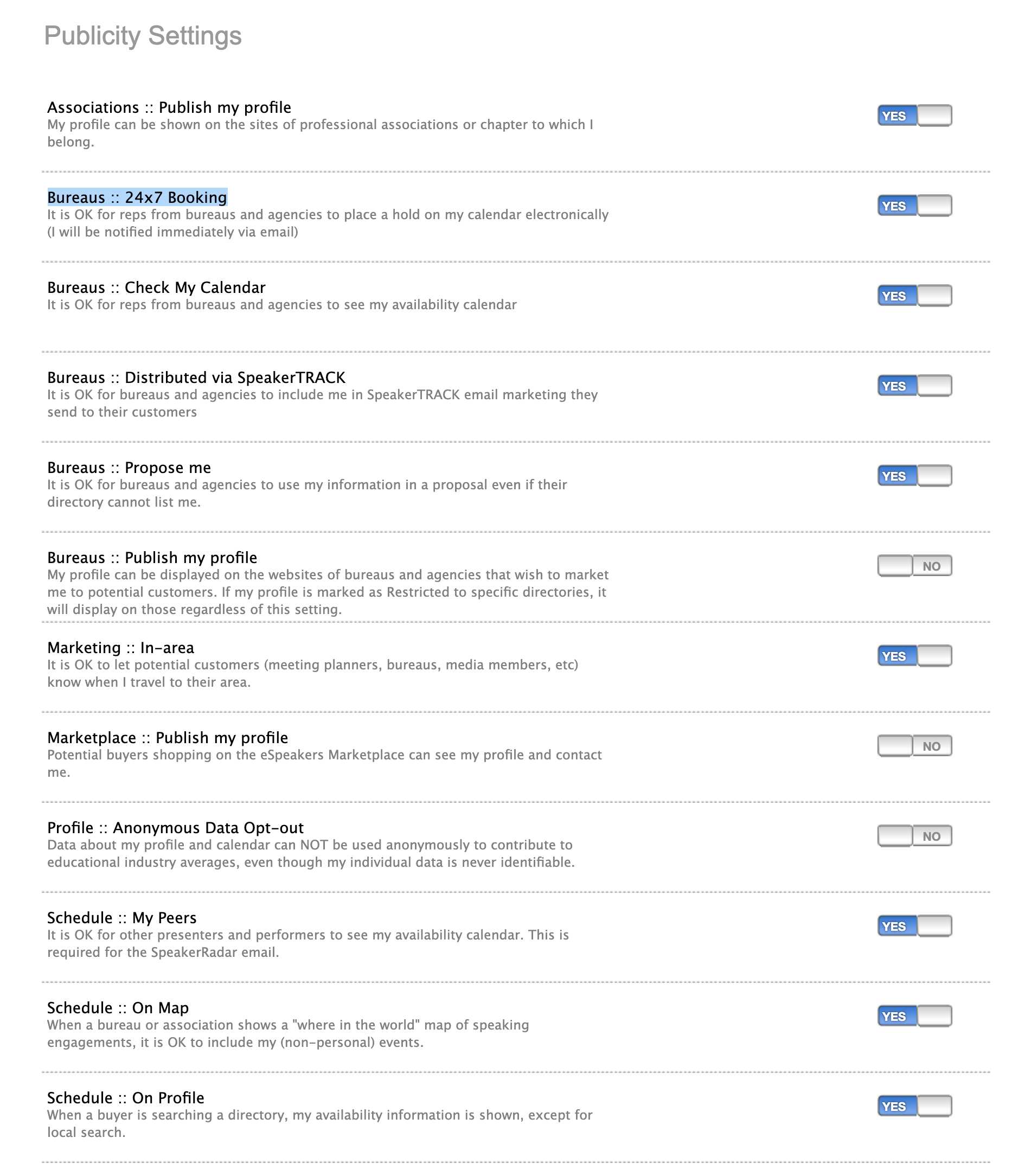 Sharing your calendar has great marketing benefits. However, if you prefer to use EventCX as a closed system, accessible only to you and your staff, you can change PUBLICITY SETTINGS to accomplish that.
To change publicity settings on a speaker’s account, you must be signed in as an ADMIN or SPEAKER level user.
- Use the PUBLICITY PREFERENCES page in your eSpeakers profile.
- Turn OFF the following settings by clicking the toggle switch so it says “NO”
- Bureaus :: Check My Calendar
- Schedule :: My Peers
- Schedule :: On Map
- Schedule :: On Profile

Note that if you are sending your own SpeakerTRACK emails, or allowing yourself to be included in bureaus’ SpeakerTRACK marketing emails, your appearances (date and city) will be disclosed individually even with these settings off.


