
You can copy Library Templates from one speaker to another as long as your username has SPKR or ADMN privlegies and is attached to those two (or more) speaker accounts. This functions replaces all templates with those of the chosen speaker.
Login to eSpeakers
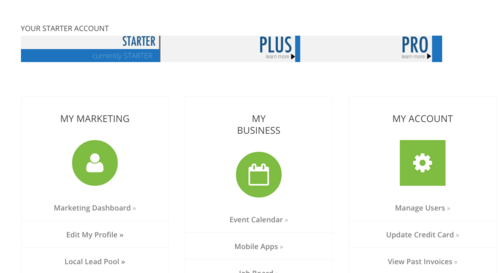
with a username that has SPKR or ADMN privileges. Choose MANAGE USERS from the MY ACCOUNT menu.
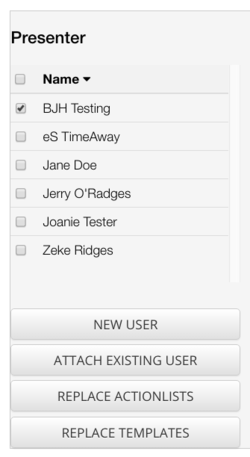
 Under the “PRESENTER” column choose the speaker you want to copy TO. Click REPLACE TEMPLATES BUTTON.
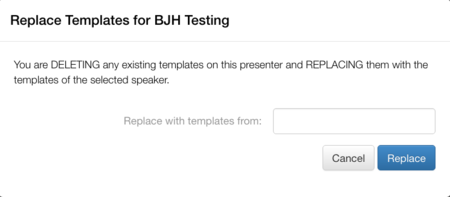
Place cursor in the “Replace with Templates from” box, choose the speaker you want to copy FROM. Click REPLACE.
Under the “PRESENTER” column choose the speaker you want to copy TO. Click REPLACE TEMPLATES BUTTON.
Place cursor in the “Replace with Templates from” box, choose the speaker you want to copy FROM. Click REPLACE.
Copy Templates
< 1 min read
Updated on August 18, 2026


