How to Create a Speaker Reel That Books You More Paid Events
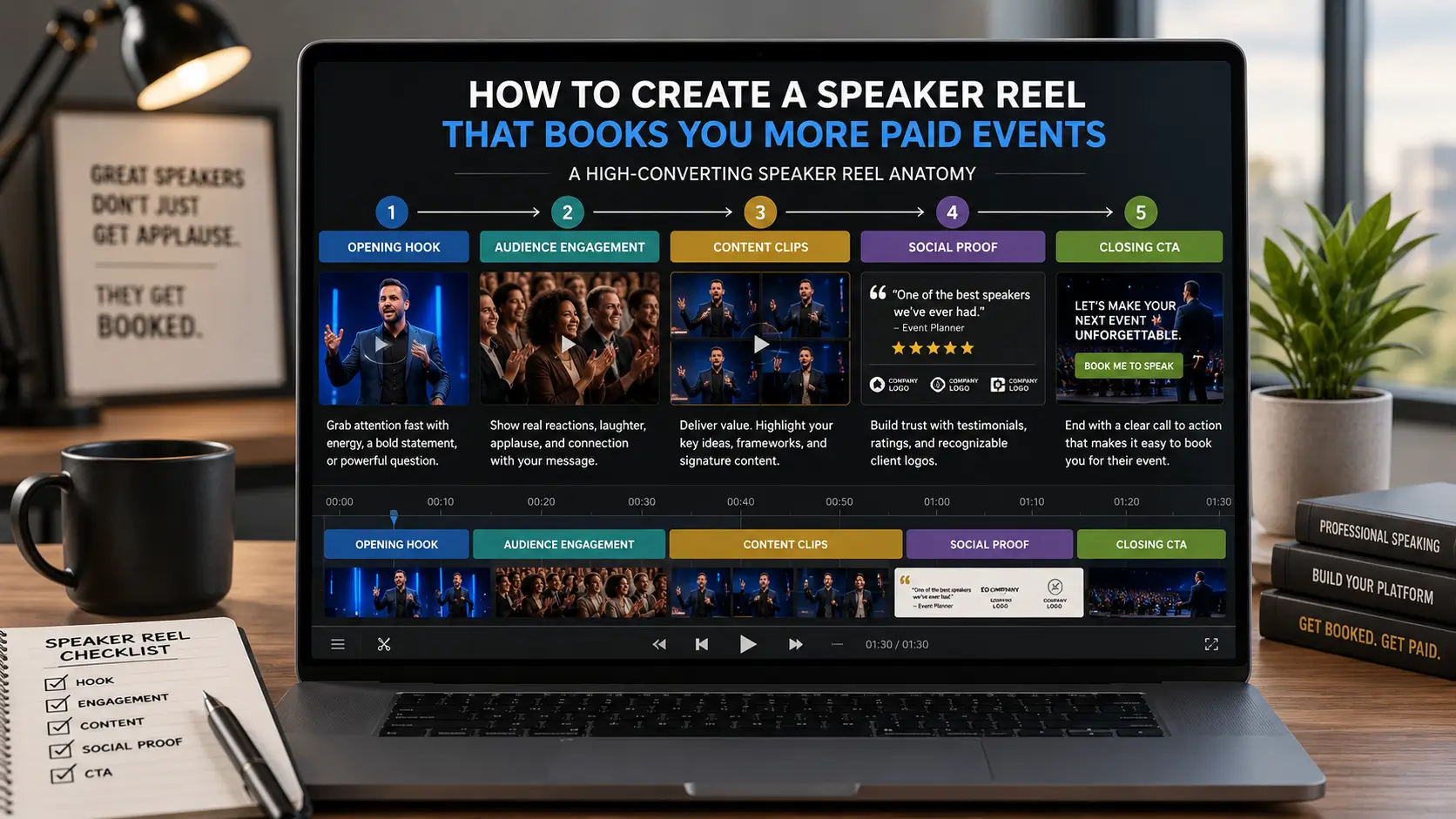
A speaker demo reel that books paid events opens with the speaker's most compelling moment in the first five seconds, shows visible audience engagement in wide shots within the first 30 seconds, includes 3–5 live content clips from real events, and runs 90 seconds to 2 minutes total. That structure, hook, proof, content range, and close are what meeting planners evaluate when they press play, and they are what separate a reel that generates inquiries from one that generates polite inaction.
The demo reel is the most powerful sales tool a professional speaker has. It works 24 hours a day, pitching your case to every planner who looks you up, without you being involved. When it is working, it generates bookings you did not manually pursue. When it is not, it actively filters you out of conversations before they begin. This article is the complete guide: what planners are actually looking for, what makes a reel convert, how to build one at any stage of your career, and how to deploy it across the channels, including your eSpeakers profile, where it directly affects both your ranking and your inquiry conversion rate.
John Doe
Chief Marketing Officer at eSpeakers
What Planners Are Looking For in the First 30 Seconds
Meeting planners, bureau agents, and event organizers are not watching your reel to enjoy it. They're watching it to make a business decision, and the evidence is consistent that they make a preliminary decision within the first 30 seconds of pressing play.
That's not long. It's the same attention span that decides whether to keep scrolling or stop. Which means the entire architecture of your reel has to be built around those first 30 seconds, not as a buildup to something good, but as the thing itself.
What exactly is a planner trying to determine in those 30 seconds?
Can this person command a room?
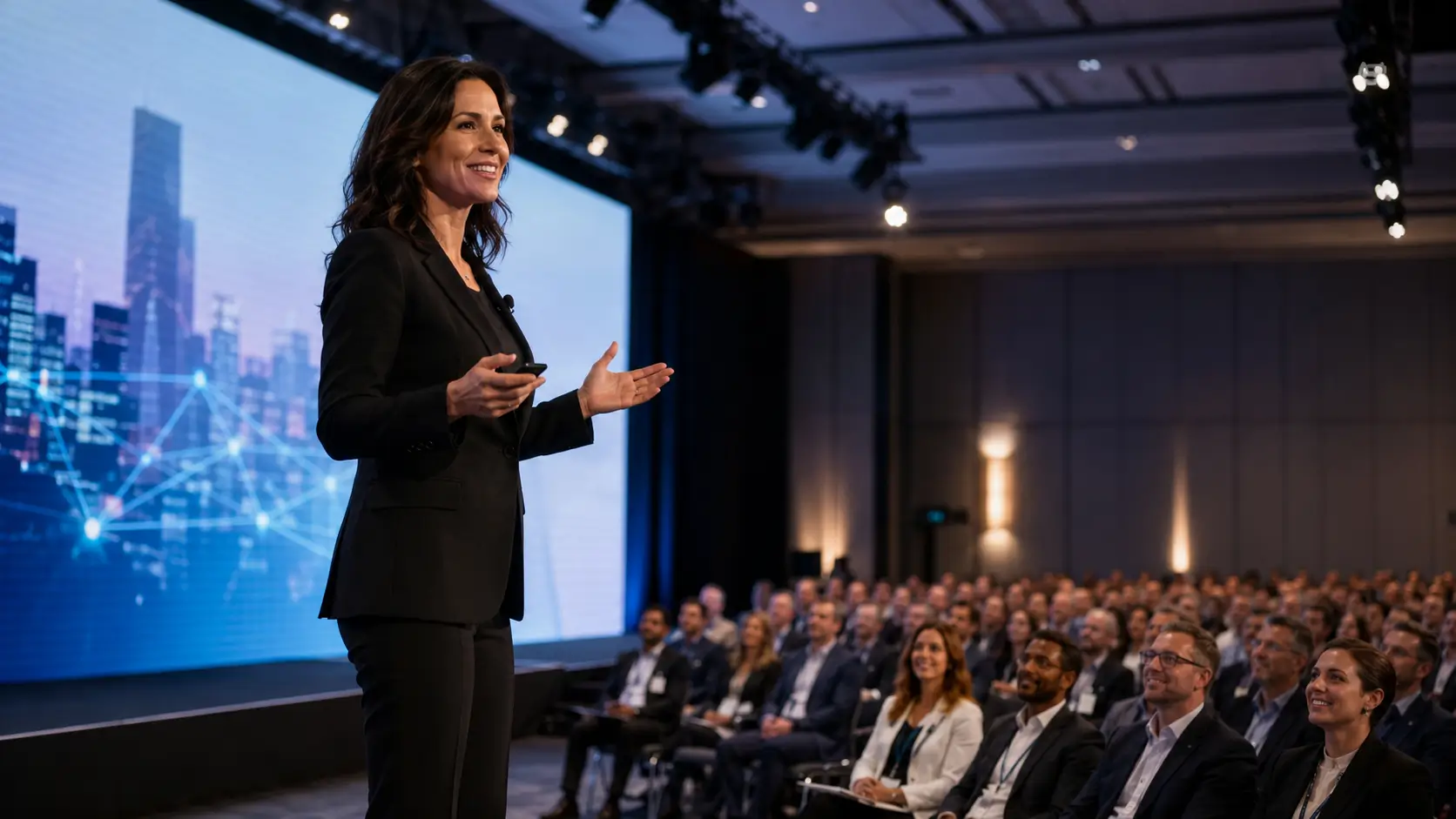
Stage presence isn't explained; it's felt. The moment the reel opens, the planner assesses energy, movement, authority, and whether the speaker's body language conveys confidence or discomfort. A speaker who looks nervous in their own reel tells a planner everything they need to know.
Is this person relevant to my audience?
The first thing said in a reel, the opening line, the opening image, the context of the event being shown, signals whether this speaker has anything to do with the planner's world. A reel that opens with generic stage footage from a generic event tells no story. A reel that opens with a speaker delivering a specific, sharp insight to a clearly engaged corporate audience tells the planner: this person might fit my event.
Is this footage real?
Planners and bureau agents have become increasingly sophisticated at distinguishing genuine keynote footage from staged "synthetic" reels. They look for a visible company or association name on the podium or backdrop. They look for genuine audience reaction. They look for the specific, unrehearsed energy of a real room responding to a speaker in real time. Slick production that tries to compensate for fake or weak footage gets noticed and raises rather than lowers skepticism.
Would I feel confident booking this speaker? Ultimately, a planner isn’t just spending budget—they’re putting their professional reputation on the line. The real questions become:
- “If I book this person, will they make me look good?”
- Every element—footage quality, audience response, and on-screen credentials—either builds or undermines that confidence
- Clarity of the speaker’s message plays a major role in strengthening (or eroding) that trust
These three questions frame every decision in building a reel that converts. Every clip selection, every editing decision, every second of runtime comes back to: does this help a planner answer these four questions with a confident yes?
The Anatomy of a Speaker Reel That Books
A converting speaker reel isn't a greatest-hits compilation. It's an engineered narrative, a deliberate sequence of moments that builds the case for booking you, from first impression to final conviction, in under three minutes.
Here's the structure, beat by beat.
The Hook: Seconds 0–5
You have five seconds before attention starts drifting. Do not open with your logo. Do not open with slow b-roll. Do not open with someone else introducing you. Open with your single most compelling moment on stage, a line that lands, a room erupting in laughter, a dramatic pause before a point that clearly lands, an audience visibly riveted.
The hook has one job: make the planner lean forward and pay attention. Everything else in the reel is earned by those first five seconds working correctly.
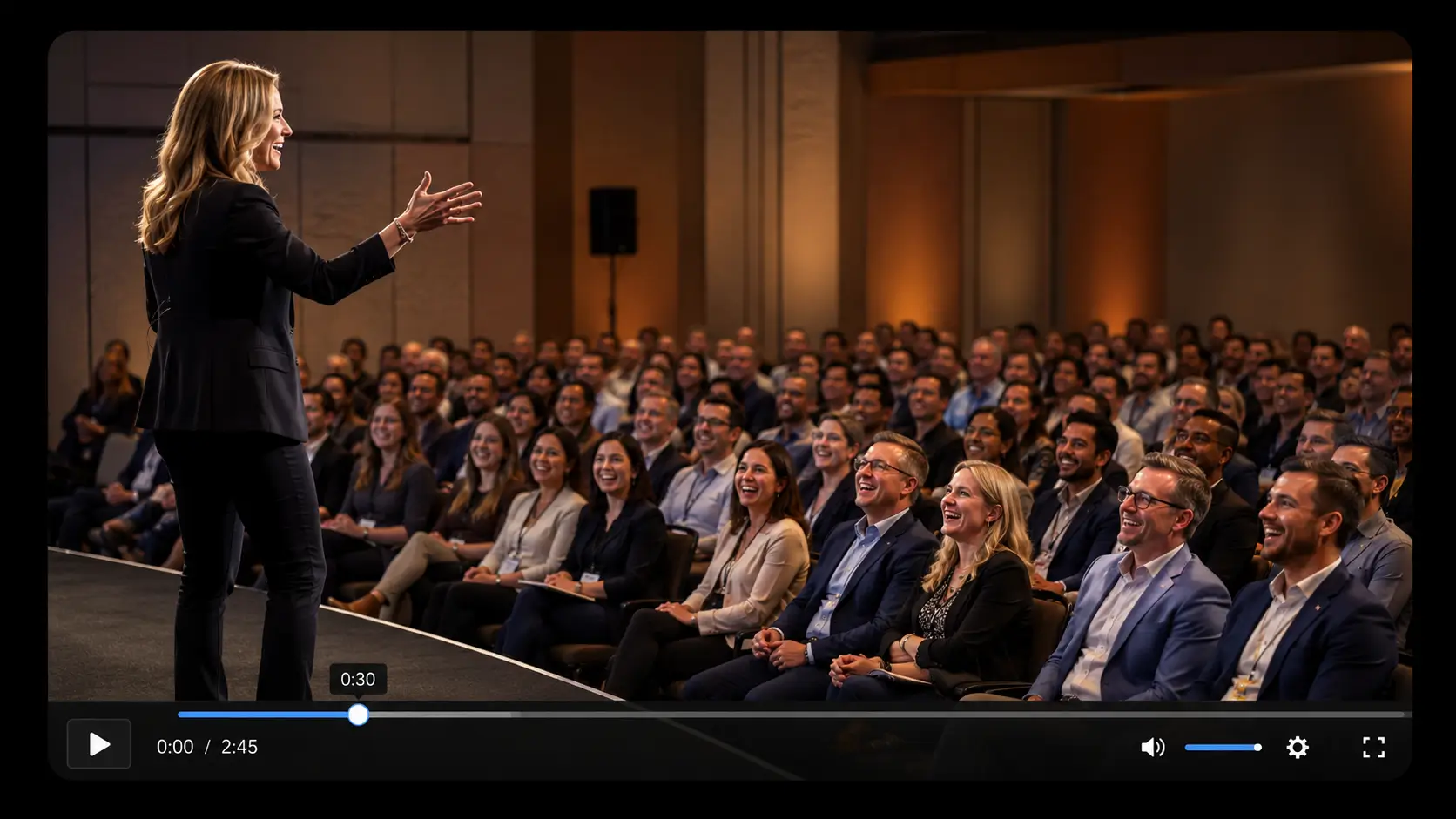
Strong hooks from real speaker reel examples tend to be one of three types: a punchy, quotable statement that makes the viewer think "I haven't heard it put that way before"; a genuine, audible audience reaction that signals energy and engagement before any explanation is needed; or a moment of visible stage command, a speaker who owns the room in the first frame.
Live Stage Footage: The Non-Negotiable Foundation
After the hook, the reel needs to establish your foundation: live footage from real events. This is non-negotiable. Bureau agents and planners want to see you on a real stage, in front of a real audience. An industry conference, an association main stage, A TEDx talk, or any of these works. Zoom clips can be part of your video lineup, but they should never replace your speaker reel. Your reel is the lead—it sets the tone and earns trust first. And nothing builds credibility like real, in-the-room footage; it simply can’t be faked.
What makes live footage feel real to an experienced planner:
- A visible event name on the stage backdrop or podium
- Production quality consistent with a real event (imperfect lighting, ambient room sound, the specific energy of a live audience)
- Audience shots that look like genuine reactions rather than arranged reactions.
Two to three distinct live footage clips, drawn from different events if possible, establish range as a credible speaker. A speaker shown at one Fortune 500 corporate summit and one industry association conference is telling a planner, "I work in your world. I've done this for real organizations."
Audience Reaction Shots: The Proof That Sells
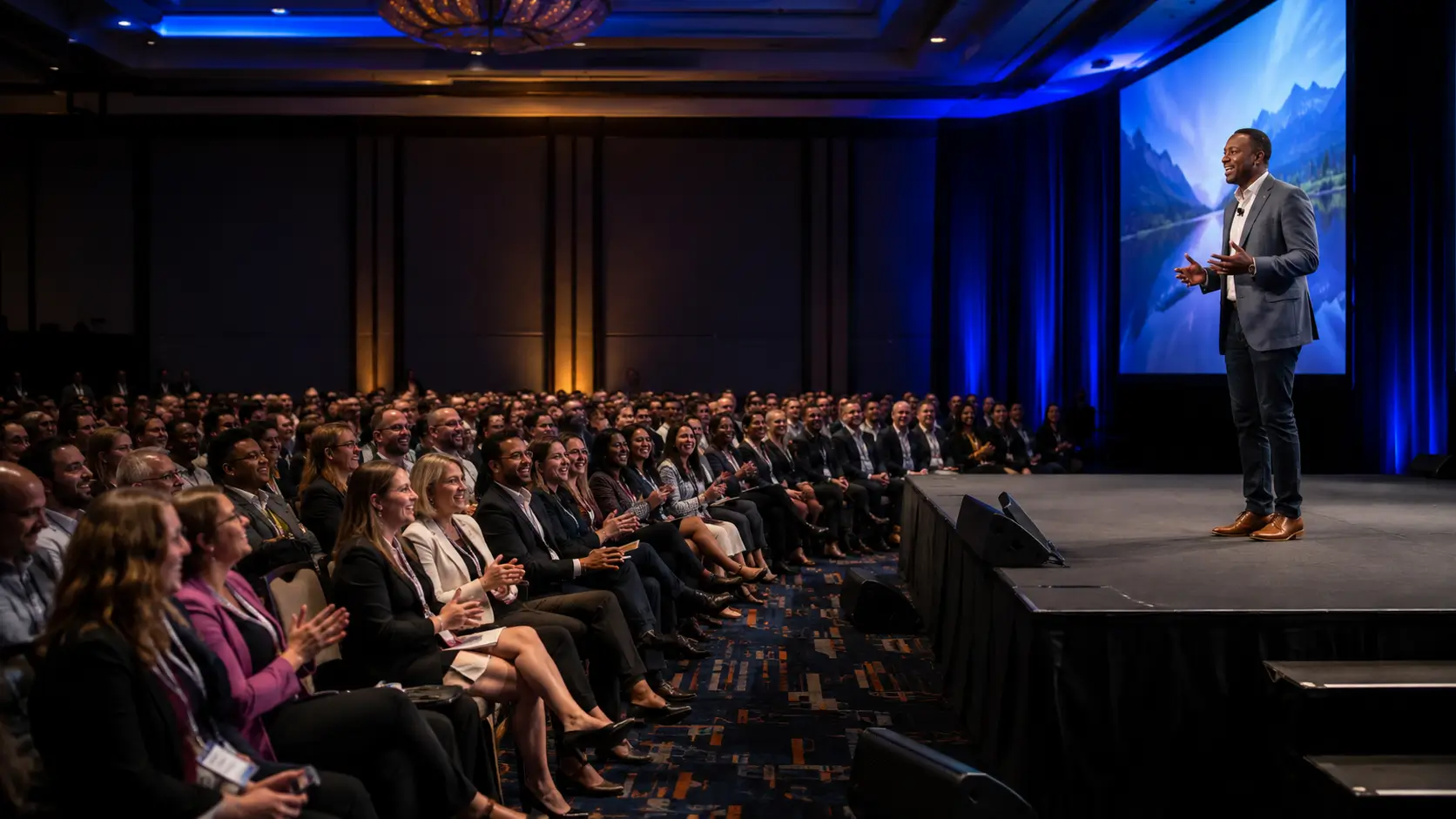
Nothing sells a speaker faster than footage of an audience responding to them. Laughter, head-nodding, leaning forward, a standing ovation, these are social proof in its most powerful, visceral form. When a planner watches an audience being genuinely moved by a speaker's words, they don't analyze it. They feel it. They imagine their own audience in that room.
Weave audience reaction shots throughout the reel, not collected at the end, but interspersed between speaking clips. Every 20–30 seconds of performance footage should be punctuated with reaction footage. This rhythm keeps the reel dynamic and continuously demonstrates that the speaker's stage presence translates to real audiences.
If you don’t have dedicated audience footage, work with what you do have: wide shots that capture both stage and audience, recordings where genuine laughter or applause is clearly audible, or moments where the camera pans to a visibly engaged crowd. Even audio alone, hearing a room respond, can be nearly as powerful as seeing it.
Content Clips: The Credibility and Message Moments
The middle section of the reel shows why you're worth booking, not just that you can hold a room. This is where you pull your most quotable, insightful, or surprising moments, not full explanations of your framework, not anecdotes told from start to finish, but the lines that land. The insight that makes someone think: "I need to hear more of that."
Each clip in this section should be 10–20 seconds maximum. The goal isn't to explain your content. It's to create a desire to hear your content delivered to a live audience. Think of this section the way a movie trailer works: you're not showing the whole film. You're showing the moments that make people buy a ticket.
Three to five of these clips, interspersed with audience reaction footage and transitions that maintain pacing, constitute the body of the reel.
Social Proof Elements: Testimonials and Logos
Written testimonials from event organizers, a logo wall of recognizable clients, or short quote slides all provide the peer validation planners need to feel confident in a booking decision. Keep them tight and specific: a two-line quote from a named event director at a recognizable organization carries far more weight than a paragraph of praise. Likewise, a logo wall of four to six well-known clients quickly signals that you operate at the level this planner expects.
These elements are most effective after your content clips, once your stage presence and message have already done the persuading. At that point, social proof doesn’t start the argument; it closes it.
The Close: Contact Information and CTA (call to action)
Your final frame should clearly display your name, website, eSpeakers profile link, “Book Me” URL, and primary contact email. After watching your reel, a planner who’s ready to move forward shouldn’t have to search for how to reach you.
The close should feel confident and straightforward, not urgent or uncertain. A simple line like “Book [Your Name] for your next event: [website]” is both direct and appropriate. At this point, you’ve earned the ask.
Speaker Reel Length: The Honest Answer
Ask ten producers, and you'll get ten different answers. Here's what the current evidence consistently supports:
For your primary reel: 90 seconds to 2 minutes. Bureau agents specifically prefer 60–90 seconds for pitching to corporate clients. The reasoning is sound: planners make their decision within 30 seconds. If your opening minute doesn't convert them, the second minute won't either. A 90-second reel contains only your absolute best moments. A 5-minute reel contains filler, and experienced planners recognize filler immediately.
For your extended reel: 3–5 minutes. If a bureau, major conference, or corporate client requests more comprehensive footage before finalizing a booking, a longer reel with full segments is appropriate. This version should demonstrate your presentation flow, interaction style, and ability to sustain audience engagement over time.
It’s a secondary asset; built after your primary reel is complete, not in place of it.
For your eSpeakers profile: your primary reel, full stop. The eSpeakers Marketplace is evaluated quickly. Planners browsing speaker profiles are scanning, not settling in. A 90-second reel that opens strong and makes its case without wasting their time is the correct tool for directory placement.
The corollary: if your current reel is longer than three minutes and isn't performing, length is the likely culprit. Every minute you add beyond the first is a minute where a planner might stop watching and move to the next profile.
The Five-Second Test
Before finalizing any reel, run this test. Start the video. Set a five-second timer. Watch only those first five seconds.
At the end of five seconds, ask: Would a meeting planner who has never heard of me keep watching?
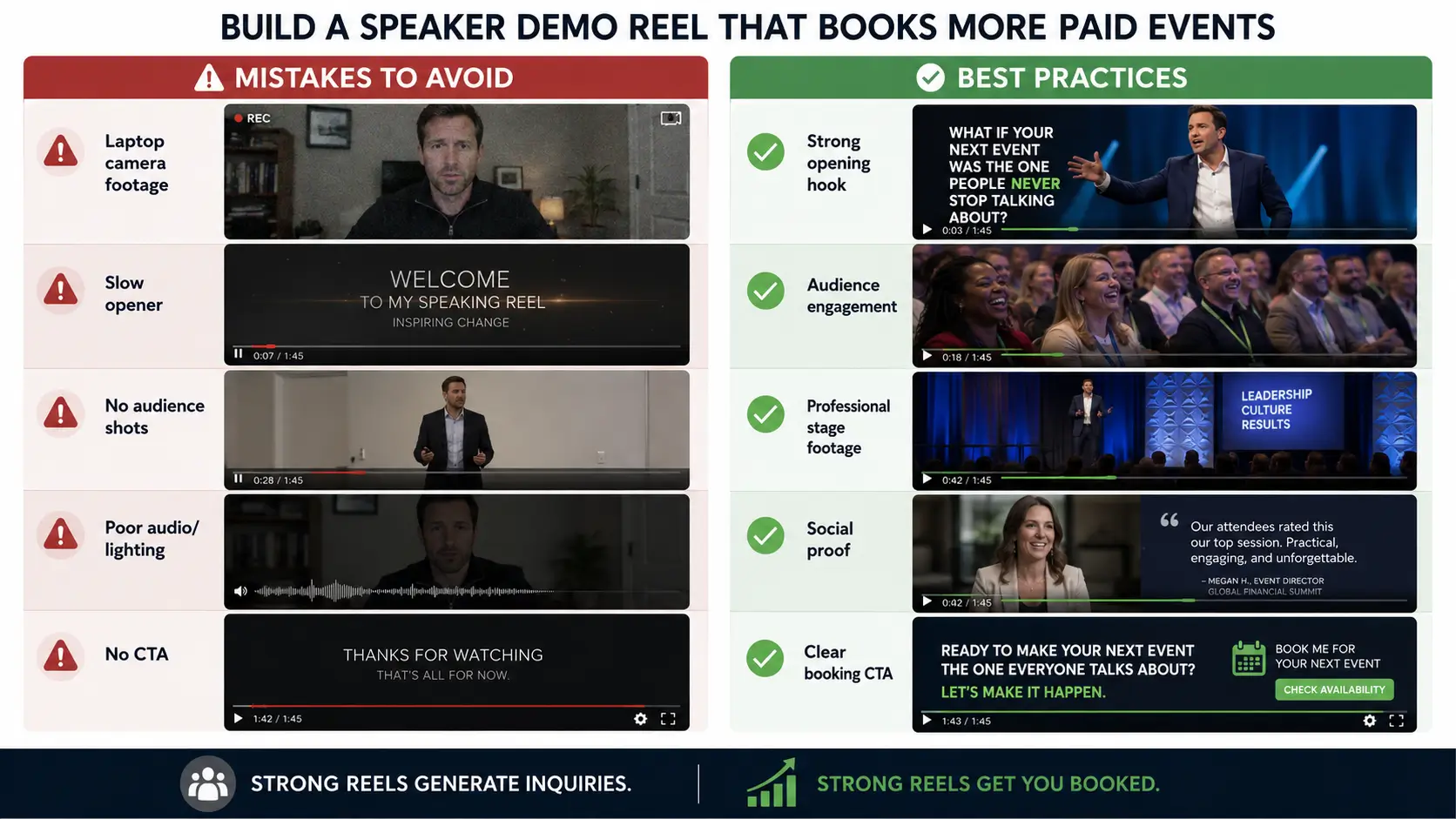
If the answer requires any hesitation, the opening needs to change. The most common five-second failures in speaker reels:
Weak Openings That Undermine Speaker Reels
The logo cold open.Your name and logo are animated onto a black screen. This tells the planner nothing about whether you can command a stage. Start with footage, not branding.
The slow b-roll opening.Atmospheric shots of a conference hall, a microphone on a stand, and hands clapping from a distance. Cinematic but empty. A planner watching this in the first five seconds of your reel is already looking for the pause button.
Someone else is introducing you. An MC reading your bio at the start of your reel is context you don't need to provide; the planner doesn't need to hear your credentials before they see you perform. Lead with the performance, let the credentials appear in lower-third graphics during your footage.
Content that requires context. Opening with a clip where the point only makes sense if you understand the preceding three minutes of your talk loses a planner who has no prior knowledge of you. The hook must work for someone encountering you for the first time, cold.
The right five-second opening is immediate, energetic, and answers the question "should I keep watching?" with a sensory yes before any cognitive analysis kicks in.
Building Your Reel: What to Do When You Have Limited Footage
The most common reason speakers delay building a reel is a lack of footage. They wait for a “better” event, a bigger stage, or a more professionally filmed moment that feels worthy of inclusion.
That wait is one of the most costly decisions a speaker can make. Speakers with a demo reel are significantly more likely to get booked than those without one. The footage you don’t have doesn’t exist yet, but the opportunities you’re not getting are very real, and they’re happening right now.
Here's what actually works when your footage library is thin:
Start with what you have and be honest about its quality
Phone recordings from a friend in the audience, event camera footage from smaller conferences, and workshop recordings can all be shaped into a credible starter reel. A skilled production team can often do more with “imperfect” footage than most speakers realize—cleaning audio, correcting color, and structuring cuts to elevate what’s already there.
The standard isn’t technical perfection. The real question is simpler: does this show you performing in front of real people, delivering real content with real energy?
Create your own speaking event
This is the most underrated advice for building a first reel. Organize a showcase: invite 30–50 people, colleagues, clients, community contacts, to a professional-looking space and deliver 20 minutes of your keynote material. Hire a two-camera crew. Record everything. The resulting footage is genuine, the audience is real, and the production quality reflects your level of investment. A well-produced showcase event produces reel-quality footage that most planners will never distinguish from conference footage.
Use TEDx as a reel anchor
A TEDx talk provides professionally produced footage, an established brand that adds instant credibility, and a YouTube presence that functions as ongoing discovery. TEDx footage is the gold standard for reel content precisely because planners recognize the selection process that produced it. If you haven't applied to a TEDx event, the reel conversation is a compelling reason to.
Supplement your reel strategically with interview and media footage
Podcast appearances, media interviews, panel discussions, and breakout sessions can help round out your story when keynote footage is limited.
These elements are supporting material, not the foundation, but they still matter. They demonstrate your ability to communicate expertise in professional settings, which gives planners additional confidence when evaluating you.
Commit to recording every engagement going forward
The most important footage decision you make isn't about your current reel. It's establishing the habit of capturing every speaking engagement from this point forward. A two-camera crew at a smaller event costs $500–1,500 and produces footage that may become the centerpiece of your next reel. The speaker who records everything has a growing library. The speaker who assumes someone else will handle it is perpetually starting over.
The Seven Mistakes That Kill Speaker Reels
These are the patterns that consistently show up in reels that don’t convert, based on feedback from experienced producers, bureau agents, and planners who review speaker reels for a living.
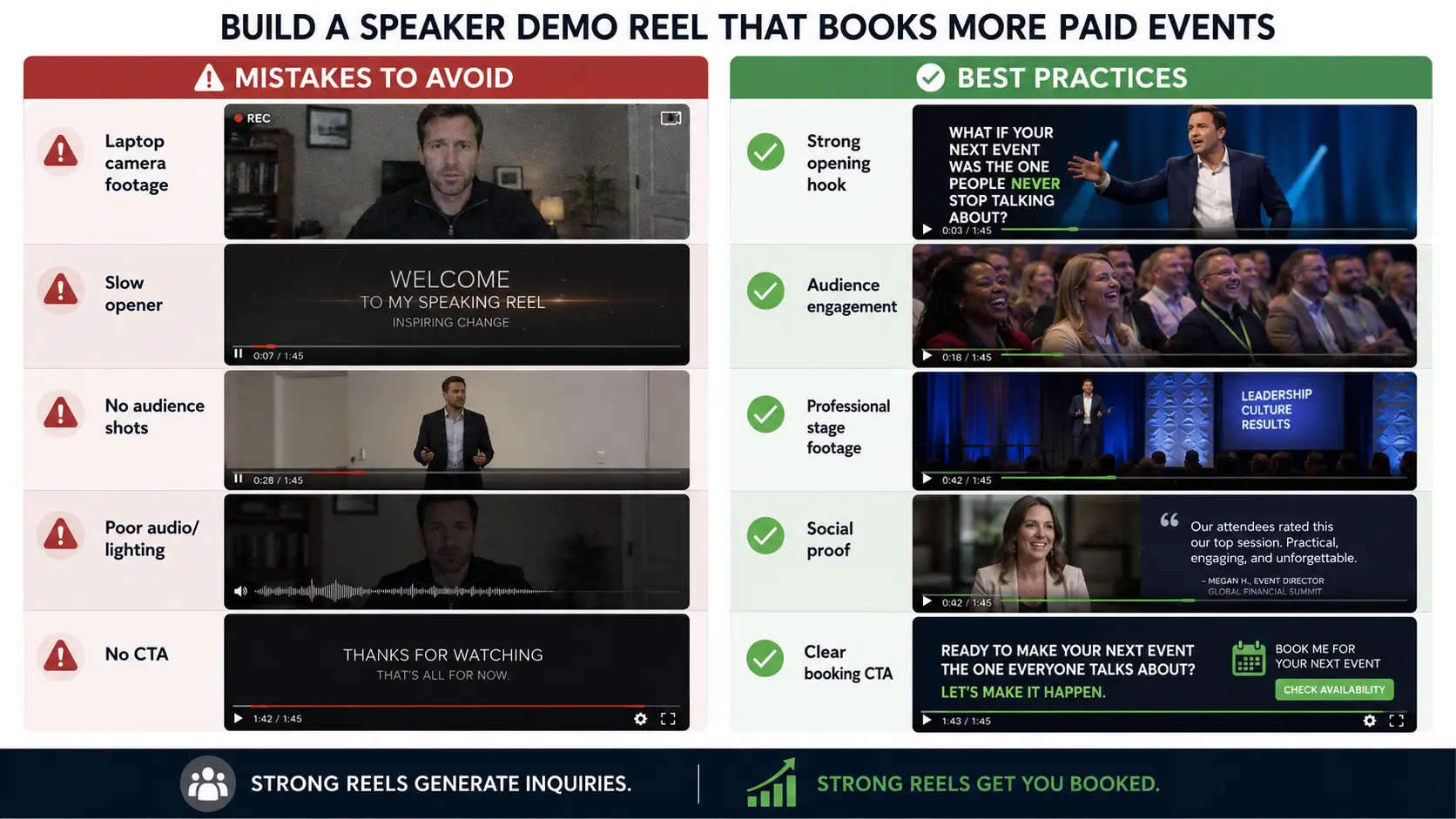
All performance, no audience
A reel that only shows you speaking into a camera offers no proof that your energy carries in a live room. Planners need to see how an audience responds in real time. Without that reaction, the reel is asking for trust it hasn’t yet earned.
Outdated footage as the primary clip
A reel built on footage that is visibly two, three, or four years old signals to a planner one of two things: either your speaking business hasn’t been active recently, or you haven’t invested in keeping your marketing current.
At minimum, your reel should be refreshed every 12–18 months, or sooner whenever you capture significantly stronger footage.
Telling when you should be showing
A reel that opens with a voiceover explaining your credentials and expertise before any performance appears is already missing the point.
A reel is not a biography; it’s an audition. Credibility should come through what we see on stage, not what we’re told about you.
Music that competes instead of supports
Background music sets emotional tone and maintains pacing, but it should support your voice, not compete with it. Music mixed louder than your speaking audio is one of the most common and most damaging reel production errors.
Staged footage presented as real
Bureau agents and experienced planners are increasingly adept at spotting “synthetic” reels, footage staged in rented venues with a planted audience rather than captured at real events. The signals are subtle but consistent: no identifiable event branding on stage, an audience that feels overly uniform, and production quality that doesn’t match the scale being implied.
Ironically, this often damages credibility more than lower-production footage that is clearly and authentically from a real event.
No clear contact or next step
A planner who watches your entire reel and wants to book you should not have to search your website to find out how to reach you. Your final frame is the close of a sales pitch. Use it for the video on your personal website. However, when you upload a video to your profile on eSpeakers Marketplace, you need to upload videos that are bureau-friendly and contain no direct contact information.
Captions missing
A significant portion of speaker demo reels are viewed on silent autoplay, in LinkedIn feeds, embedded in emails, and opened in quiet offices. Without captions, your message is lost to anyone not actively playing the sound.
Professionally designed captions serve two purposes: accessibility and persuasion. They ensure your message lands in every viewing context and reinforces it visually, even when audio is off.
Where to Deploy Your Reel: The Distribution Checklist
A reel that lives in one place is only doing a fraction of its job. Once it’s created, it should be deployed across every directory where a planner might encounter you, or where a meeting planner frequents.
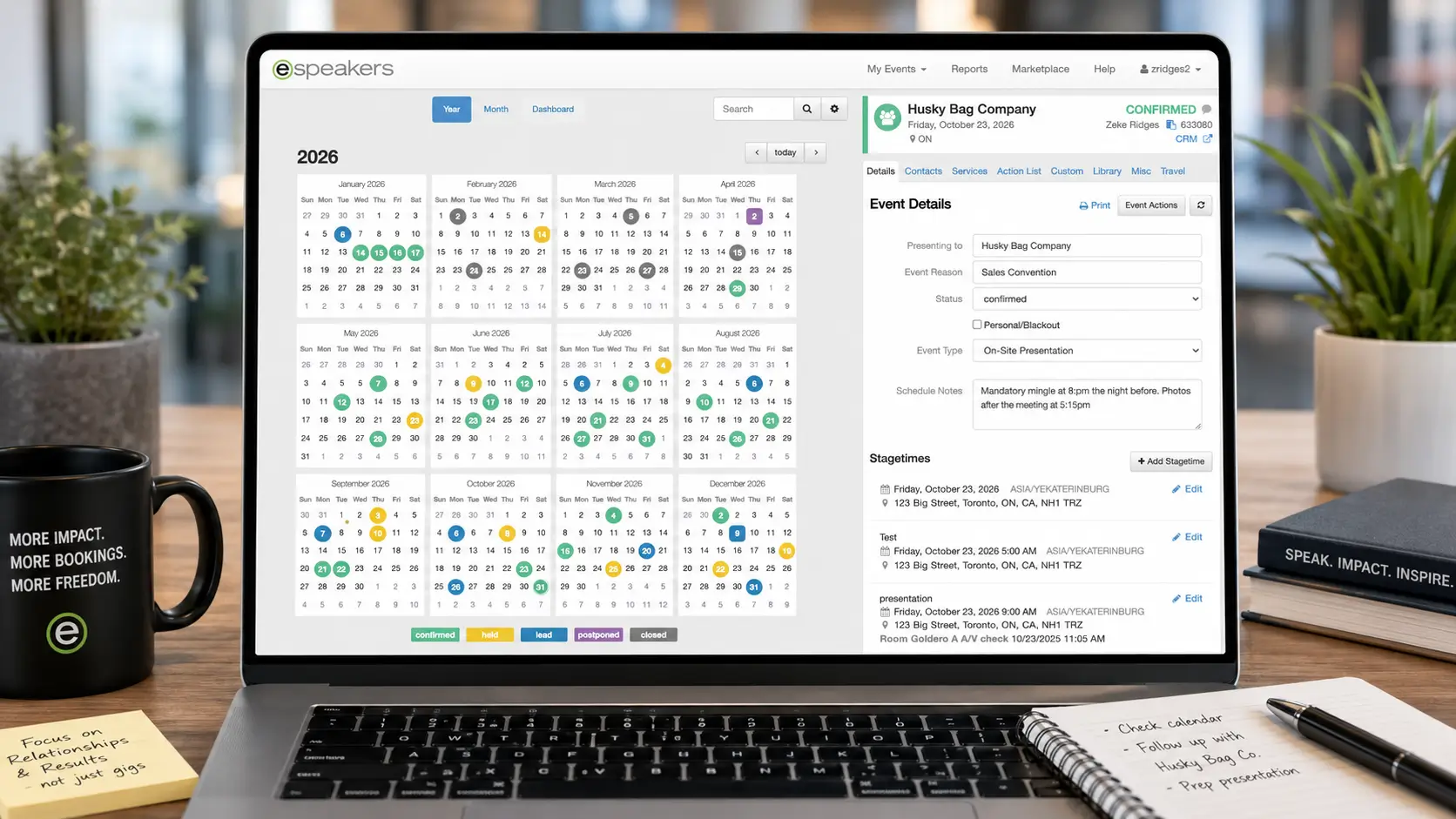
Your eSpeakers profile, first and highest priority
The reel is the most heavily weighted single element in the eSEO algorithm and one of the highest-conversion components on any speaker profile. It should be prominently featured, current, and fully functional.
After every profile update, verify that the video still plays correctly. A broken embed is invisible, but it quietly undermines both your ranking and your credibility without warning.
YouTube, searchable and shareable
YouTube is the world’s second-largest search engine. A properly optimized upload, titled with clear intent such as “Leadership Speaker [Your Name] Demo Reel 2026 | Keynote for 5,000 Executives,” and supported with a keyword-rich description, turns your reel into a searchable, rankable asset.
Planners searching for speakers on YouTube can discover it directly, and those who encounter you elsewhere and search your name will find it immediately. Once uploaded and optimized, it continues generating organic discovery with no additional effort required.
Vimeo, clean embedding for professional contexts
Vimeo offers a clean, ad-free viewing experience that presents your reel in a polished, professional setting ideal for websites and email pitches. Your reel should be embedded from Vimeo on your speaker website homepage, positioned above the fold and visible without scrolling.
When sending email pitches to planners, use the Vimeo link rather than YouTube, where competing videos can distract attention as soon as your reel ends.
LinkedIn, native upload or featured section
LinkedIn’s Featured section allows you to pin your reel as one of the first things visible on your profile. Native video uploads, where the file is uploaded directly to LinkedIn rather than linked from YouTube, typically receive significantly stronger organic reach within the platform’s algorithm.
For best results, use a native upload to maximize visibility and engagement, and also include your YouTube link in the Featured section as a permanent reference point.
Your website homepage, above the fold
A planner arriving on your speaker website should see your reel immediately, within the first visible screen, without needing to scroll. Every extra click or scroll required to find it reduces the number of visitors who will actually watch it.
Your email outreach is embedded, not attached
When you’re running outbound pitch campaigns through HighLevel CRM, your speaker reel should be included in every first-contact email. Not as an attachment, which risks spam filters, but as a clear, clickable link framed with intent, such as: “You can see a short reel of my work here: [link].”
Bureau agents, corporate buyers, and association program chairs should all be able to access your reel from the very first message you send.
Bureau profiles and agency pages
Any bureau or agency profile that represents you should always feature your most current reel. An outdated reel on a bureau site doesn’t just sit idle; it actively weakens your positioning when an agent is building a shortlist from their system. IASB member standards for speaker representation include demo reel currency as a factor agents use when evaluating whether to actively pitch a speaker from their roster.
Whenever you update your reel, notify bureau agents directly and ensure they replace it with the latest version.
The Reel-to-Booking Pipeline in HighLevel
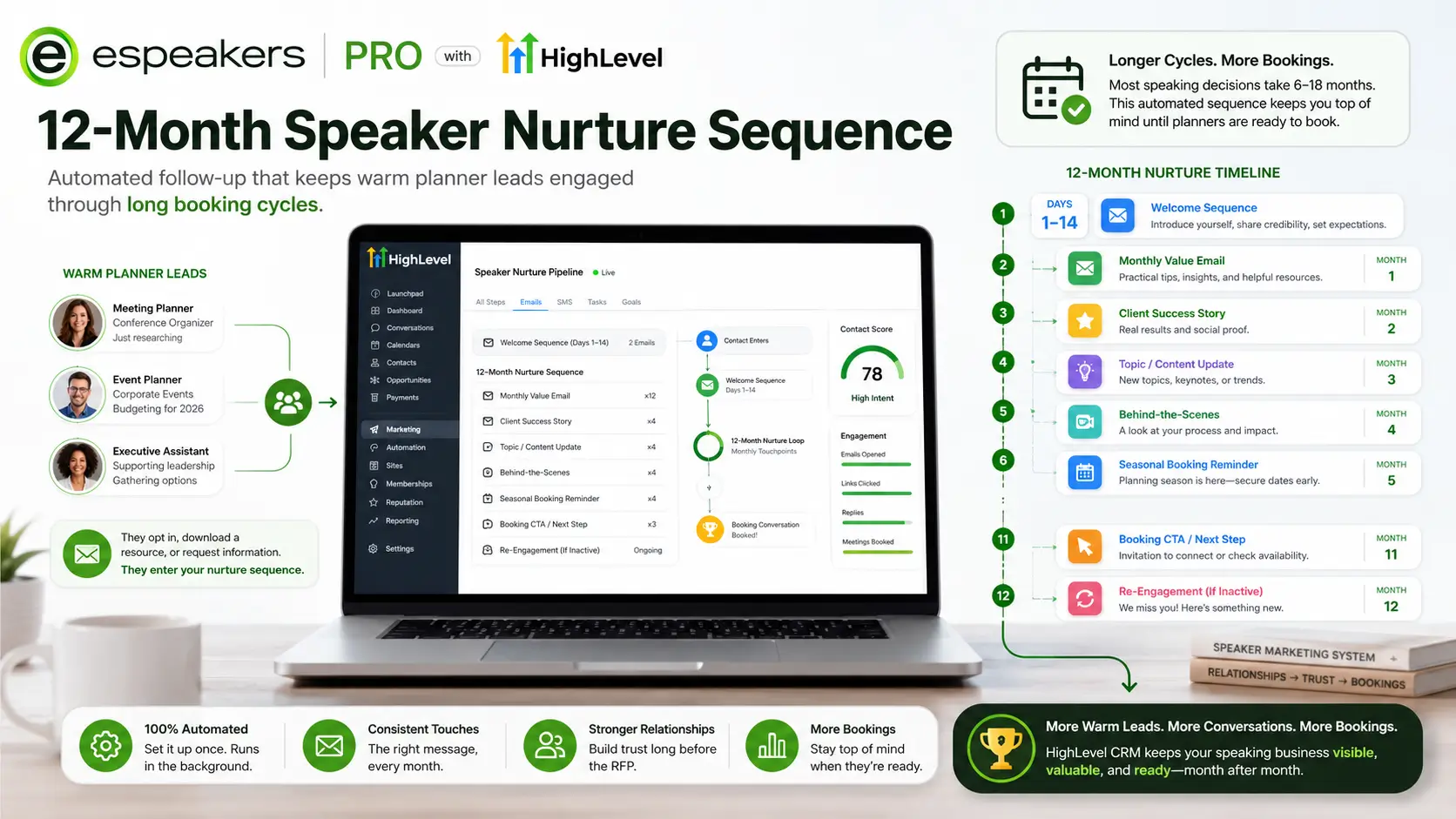
For speakers running their business on eSpeakers PRO with HighLevel CRM, the reel isn't just a passive marketing asset; it's an active trigger point in your booking pipeline.
When a planner clicks your reel link in an outbound email from HighLevel, that click is tracked. If HighLevel's Conversation AI handles the initial website chat, it can surface your reel proactively when a visitor lingers on your speaker page. When a planner submits an inquiry after watching your reel, they enter your CRM pipeline at Stage 1 with the source tag source-website or source-espeakers applied automatically, and the New Inquiry workflow fires within minutes.
Your reel functions as the top of a conversion funnel that feeds directly into your HighLevel CRM. Every view is a potential inquiry, every inquiry a potential hold, and every hold a potential booking.
When it’s working properly, the reel becomes a continuous source of pipeline activity—filling the top of your system consistently, without requiring your involvement to restart or sustain it.
The practical implication:
- Treat your reel as part of your marketing infrastructure, not a one-time production project
- Update it when footage becomes outdated or stronger material becomes available
- Track performance through your eSpeakers profile views and HighLevel inquiry source attribution
- Monitor how changes in views translate into inquiry increases within your CRM pipeline, often within weeks
FAQ
- Two to three clips of you delivering content to any live audience (even small ones)
- A basic edit with licensed background music and lower-third graphics showing your name and topic
- A final frame with contact information.
- Quality matters, but the content and energy matter more.
A genuine, energetic reel from a small event outperforms a slick production from a staged fake event every time.
Professional editing of existing footage typically ranges from $500 to $2,000. A full production that includes filming a live event, multi-camera setup, and post-production editing generally runs $2,000 to $10,000, depending on scope and production quality.
In the speaking industry, securing even one additional booking as a result of a stronger reel will often more than cover the investment, frequently several times over.
Yes, with important caveats. Tools like Canva, iMovie, and DaVinci Resolve make DIY editing accessible. The constraint isn’t software, it’s judgment: selecting the strongest clips, sequencing them for impact, setting the right pacing, and recognizing when something is not working all require a trained editorial eye.
A DIY reel built by someone with strong storytelling instincts can absolutely outperform a poorly crafted professional edit. But when those instincts are missing, the same footage almost always performs better in the hands of an experienced editor.
Once you have sufficient footage, targeted reels can significantly improve performance. A dedicated cut for leadership, and another for AI and technology, for example, allows you to align directly with what a planner is searching for on a specific topic.
Your primary reel should lead on your eSpeakers profile and website. As your footage library grows, develop topic-specific versions to support more focused outreach campaigns and higher-intent inquiries.
Two years is generally the outer limit of a reel’s effectiveness. If the footage still reflects your current positioning, energy, and speaking environments, it may still be serving you well. But if your fee has increased, your message has evolved, or you’ve spoken at larger or more prestigious events since it was created, the reel is no longer an accurate representation and can quietly hold you back.
Update your reel when it begins to age in feel or when you have new footage that meaningfully raises the standard of what it can communicate.
Your Reel Is Working, or It Isn’t
There’s no neutral. Every planner who looks up your eSpeakers profile and sees no video skips past you. Every planner who clicks play on a reel that opens slowly and doesn’t grab them in the first five seconds moves to the next profile. Every planner who watches a reel that opens strong, shows them an engaged audience, delivers a quotable insight, and closes with a clear next step, that planner submits an inquiry.
The reel is the difference between a profile that generates inquiries and one that generates views with no follow-through. It’s the eSEO factor that most directly influences whether you rank in the top 5% or disappear past the first page. It’s the element in your HighLevel marketing system that converts traffic to leads before you’ve typed a single follow-up email.
Build it. Make it short and strong. Keep it current. Put it everywhere a planner might find you.
Start your eSpeakers PRO 60-day trial →
Get your reel in front of meeting planners actively searching the eSpeakers Marketplace, and connect your speaker profile to HighLevel CRM so every inquiry your reel generates enters your pipeline automatically.
Joe Heaps, Chief Marketing Officer at eSpeakers
Joe Heaps is the Chief Marketing Officer at eSpeakers and is responsible for creating and accelerating the company's sales & marketing strategies. He is focused on driving the company's vision of helping organizations and individuals improve in substantial, long-term ways. He believes it happens when the perfect speaker is in front of the right audience. Over 25 years in the industry, Joe’s strategic vision and leadership have propelled eSpeakers to the leading software platform for speakers, coaches, and experts.
John Doe
Chief Marketing Officer at eSpeakers
Latest Articles
Related Articles